
1What iTIVO-IP does
Owner's and installer's guide · edition 2026-11-23 · firmware 2.4.22
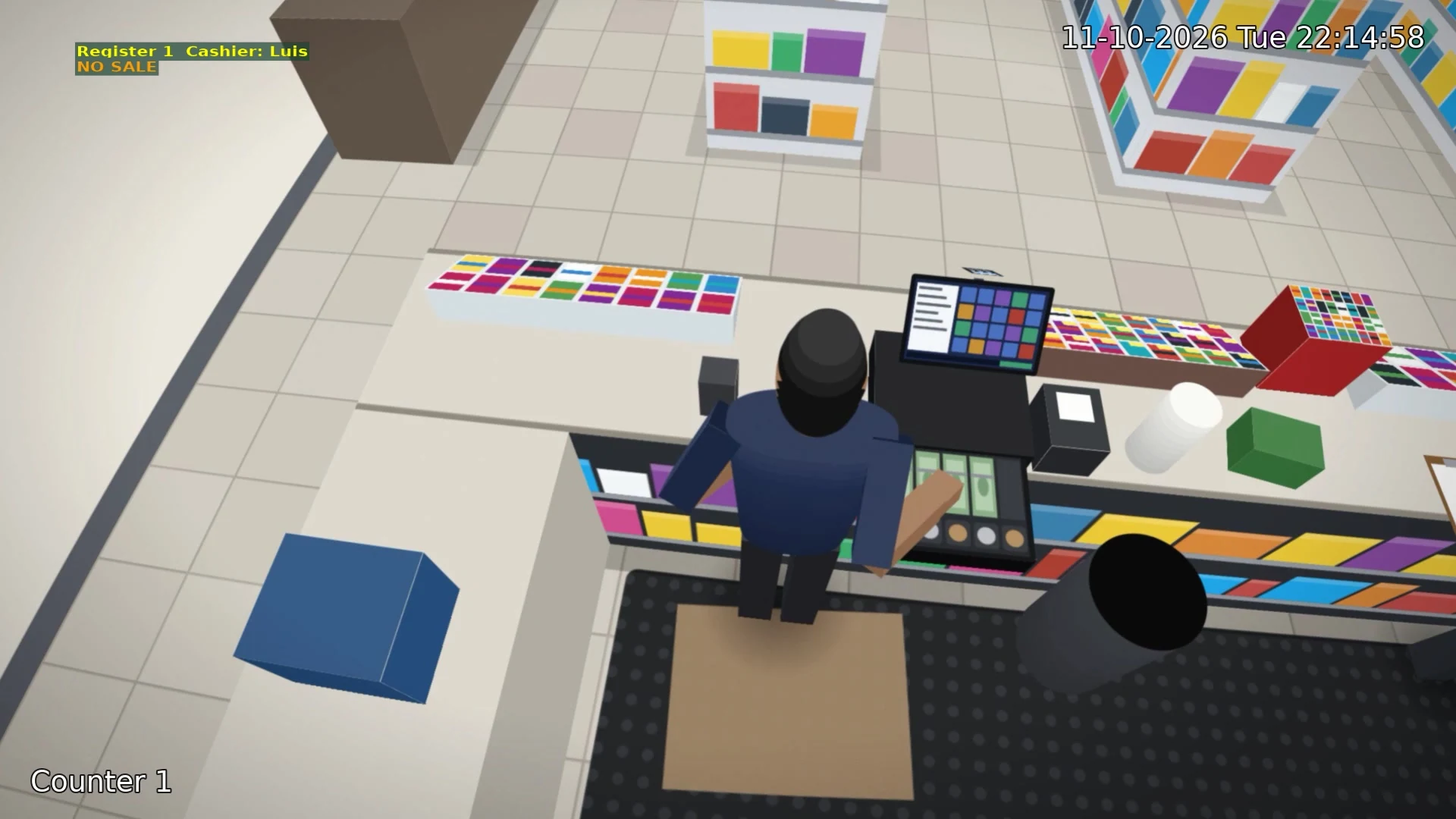
iTIVO-IP sits between the camera above your register and your recorder. It prints every line the register rings up onto that camera's video, as it happens, so the picture and the receipt can never be pulled apart. When somebody voids a sale, opens the drawer with no sale or pays cash out, the unit marks that moment, keeps a snapshot and a short clip of it, and can send you an alert.
 1
2
3
4
5
Why owners buy it
Most cash that goes missing in a store does not leave through the front door at night. It leaves through the register, a few dollars at a time, in moves that look like ordinary work. A camera alone cannot tell them from honest ones, and a register report cannot show what really happened. The two together can:
| On the register | What it can hide |
|---|---|
| VOID | The customer paid cash and left; then the sale is canceled and the cash is not counted. |
| NO SALE | The drawer is opened with no sale at all: to make change, or to take cash out. |
| REFUND | Money given back for goods that never came back, with no customer at the counter. |
| PAID OUT | Cash taken out for a lottery winner or a delivery that was never there. |
The unit marks each of these the moment it happens, with a snapshot and a short clip that show the counter before and after. You look at the ones that matter in seconds, from the store or from your phone, instead of scrolling through hours of video.
Nearly all of these are honest, every day. iTIVO-IP does not accuse anybody: it puts the facts side by side, so that checking takes a moment, mistakes are cleared up as fast as thefts are found, and everybody behind the counter knows that the register and the camera now tell one story.
Where it is used
Two models
| Model | Covers | Good to know |
|---|---|---|
| iTIVO-IP | 1 register: one camera and one register's text. | Can be upgraded to an iTIVO-IP2 later with an activation code from iLinkPro Support, without changing the unit. |
| iTIVO-IP2 | 2 registers: two cameras and two registers' text. | The screens are the same; you simply see Channel 1 and Channel 2. |
Your recorder (NVR or DVR) keeps recording as it always did. The only difference is that the register cameras now arrive with the receipt on them. The unit itself keeps the exceptions: the text of every sale, and a snapshot and a clip for each keyword.