
POS text overlay for IP cameras and recorders
Every sale,
written on
the video.
One box.
In line in
an afternoon.
iTIVO-IP prints each line your register rings up onto the camera above it, in the same moment. Your recorder keeps it. The unit searches it, reports on it, and alerts you when a void, a no-sale or a refund deserves a look.
The unit takes the camera's stream, prints the register's text on it and hands it to the NVR as an ONVIF camera. Serial, TCP, UDP and cloud registers. Everything is set up from a browser, on site or remotely.
- $409iTIVO-IP: one register, one camera up to 12 MP
- $695iTIVO-IP2: two registers, two cameras up to 4K / 8 MP each
- $0monthly fee for a single store
- 1994iLink Professionals, Georgia, USA
Which register do you have?
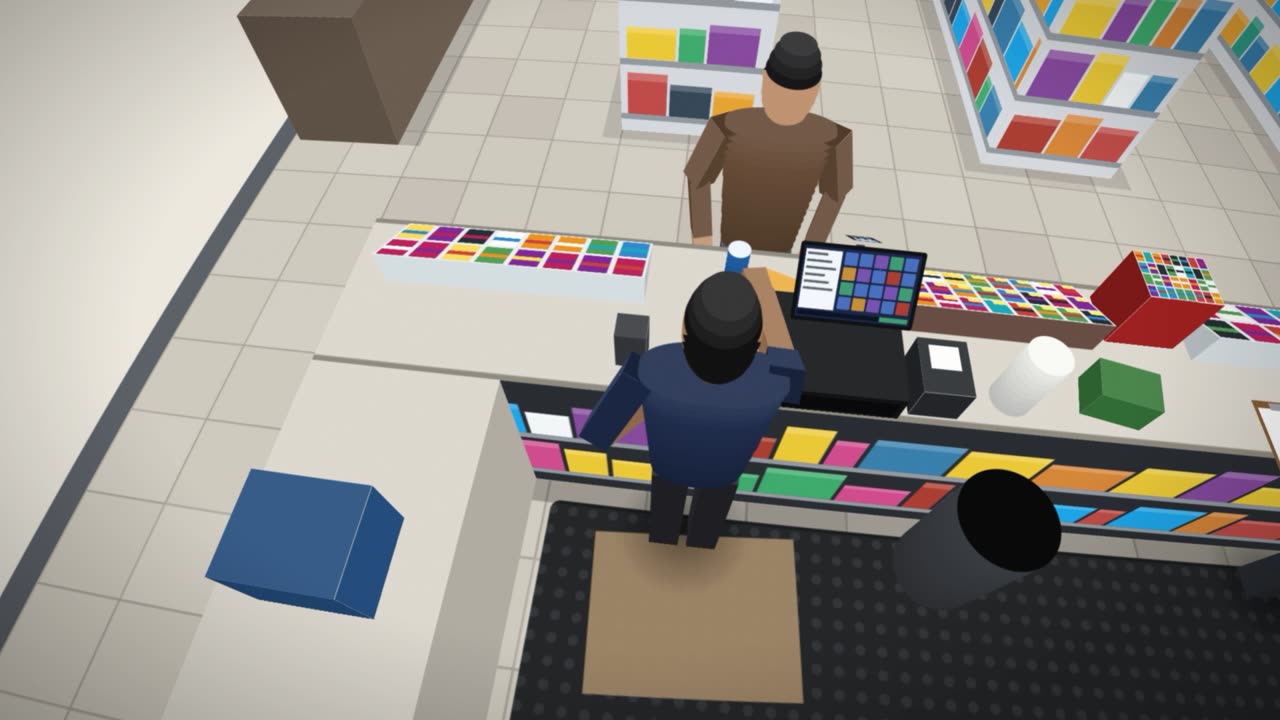
Tap your register and the receipt on every camera on this page changes to its style.
- Waiting for the next exception. The unit marks each one with a snapshot and a clip.
Find your business
Tap the one that looks like yours.
Fuel, food, fashion: the moves differ from business to business, and the picture that settles them is the same. Pick your kind of place and watch its register camera, with the receipt printed on the picture as the sale is rung up.
Fuel, retail, restaurant and gaming names our text-on-video products have worked in
All names and logos are trademarks of their respective owners and are shown only to describe where our products and services have been installed, often at independently owned locations. No affiliation or endorsement is implied.
What changes the day it is plugged in
Hours of video to scroll through30 secondsYou pick the moment from the receipt, and the unit shows you the counter in that second.The receipt beside the video, laterOn the picture, liveEvery line is printed on the camera's video while the cashier rings it up.A bill for every camera, every month$0 a monthOne purchase for a single store, on the cameras and the recorder you already own.
How it works
One small box between the register and the recorder.
Your camera goes into the unit. The unit goes into your recorder in the camera's place. From then on the recorder records the picture with the receipt on it, and the unit keeps the receipts, the snapshots and the clips.
This is the box
A small metal unit with solid-state storage and no moving disk. It sits by the recorder, out of the cashier's reach.
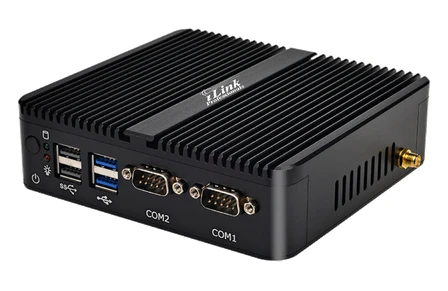
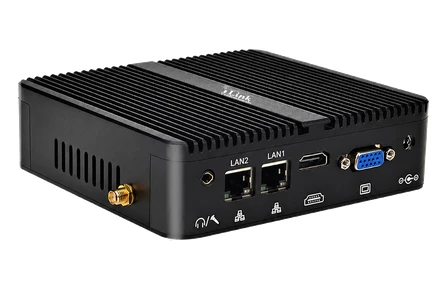
Where it sits
On the cameras you already have
Dome, bullet, turret or PTZ: any ONVIF or RTSP camera, H.264 or H.265: up to 12 megapixels on the one-register iTIVO-IP, up to 4K (8 MP) per camera on the two-camera iTIVO-IP2. The picture goes on to your recorder at the camera's own resolution.
Why owners buy it
Cash does not leave by the front door. It leaves through the register.
A few dollars at a time, in moves that look like ordinary work. A camera alone cannot tell them from honest ones, and a register report cannot show what really happened. Put the two on one picture and checking takes seconds.
Nearly all of these are honest, every day. iTIVO-IP does not accuse anybody. It puts the facts side by side, so mistakes are cleared up as fast as thefts are found, and everybody behind the counter knows the register and the camera now tell one story.
Exception keywords and alerts
It happens at the counter. You know within minutes.
Pick a word your register prints. The unit colors that line on the video, keeps a snapshot and a short clip of the moment, and sends it to your phone.
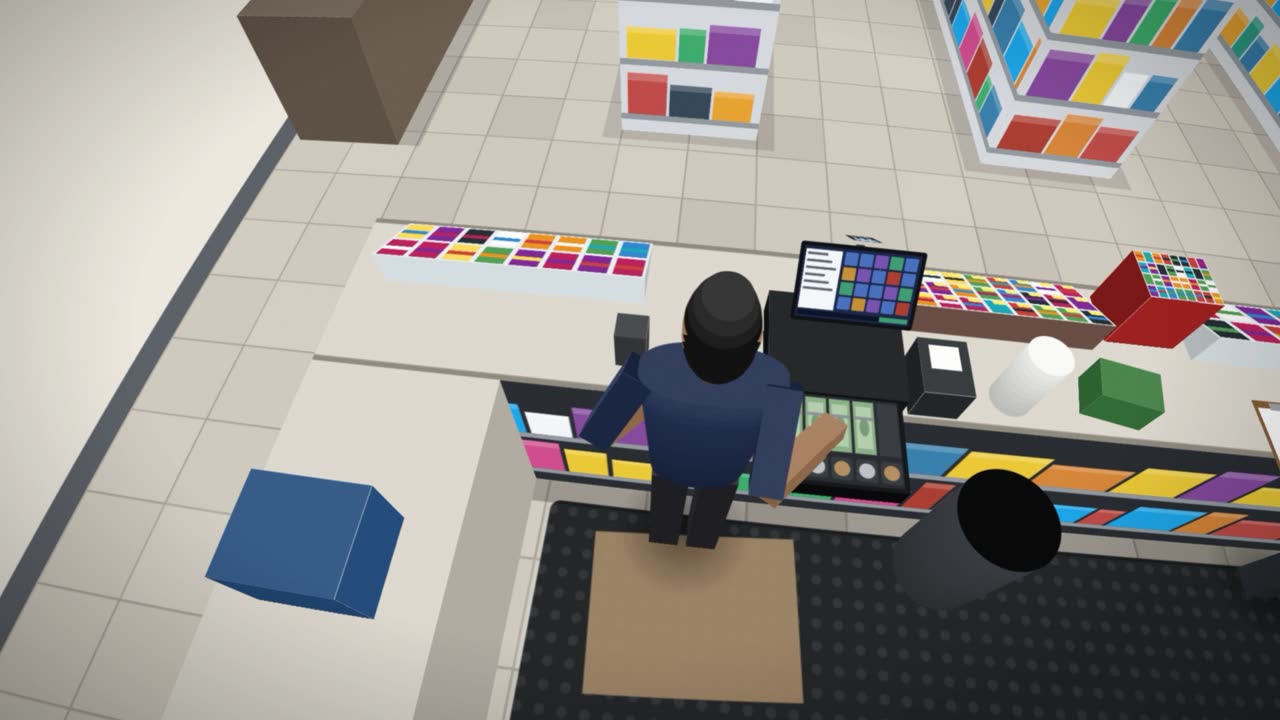
- On the videoThe line is printed in its color
- SnapshotThe picture of that second
- ClipSeconds before and after
- E-mailWith the picture attached
- WhatsApp BETATo a number or a group
No alerts yet. Tap a keyword on the left.
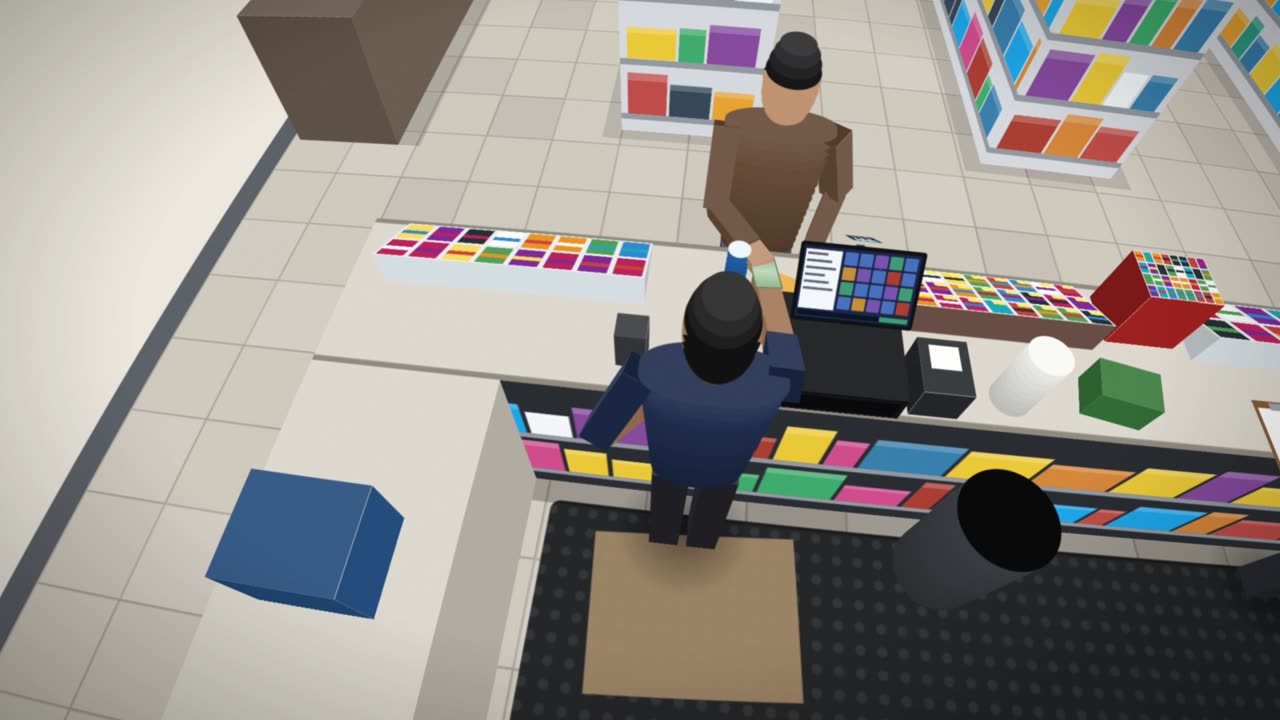
Make the text yours
Rich colors for the text and for its background, in any size, anywhere on the picture. The lines that matter can blink, change color, grow, or sit in a colored box.
It tells you when it cannot see
If a camera or the recorder stops answering, the unit sends you an e-mail, and another when it is back. A health report sums up the unit, its channels and its storage.
- Camera 1online
- Camera 2online
- Recorderonline
- No alerts. Everything is answering.
Your words, your rules
Fourteen keywords are ready on every unit, and you can add sixteen of your own: MANAGER OVERRIDE, PRICE CHANGE, EMPLOYEE DISCOUNT, whatever your register prints when a rule is bent.
Amounts, not just words
An amount trigger watches the money. A void over $50 reaches you. A two-dollar correction stays quiet. A cool-down keeps one messy sale from becoming five alerts.
Copies where you want them
Besides e-mail and WhatsApp, every snapshot and clip can be copied to your own FTP or SFTP server, or to Google Drive, and kept as long as you like.
Search / Logging
Do not scroll through video. Ask for the moment.
Every receipt is kept as text, with its items, its cashier and how it was paid. Type a word, an amount or the last four digits of a card, and the unit shows you the counter in that second.
Three lists, one search
Exceptions with their picture and clip. Every sale with its items. Every item sold, with quantity and revenue. Filter by cashier, register, tender, amount or number of items.
“I was charged twice”
Type the last four digits of the card or the amount on the statement. One line, or two? The items, the time and the picture settle it in a minute.
180 days of receipts
The text of every sale stays searchable for 180 days as delivered. Export any list as a spreadsheet, or jump from a receipt straight to your recorder's own video of that minute.
Reports, predictions and recommendations
It started as text on video. It became the store's analyst.
The unit adds the receipts up: how the day went, who was at the register, what sold, and what it expects tomorrow. All of it is included, and all of it can be sent to you as a PDF, by e-mail or WhatsApp, on a schedule.
Sample figures for a made-up store. On your unit the numbers come from your own register's receipts.
Who was at the register
One line for each cashier: sales, average sale, and how often each keyword came up while they were signed in. The exception rate puts the outlier at the top, marked LOW, MED or HIGH.
Built for fuel and store
Fuel paid inside, store sales, tax, lottery and services are kept apart and split by cash, credit and debit. Sales by category shows what the store lives on.
Sent to you, on time
The daily summary at closing time, the employee report on Monday morning. Each report has its own schedule. Two messages you read on your phone in a minute.
Theft Detection BETA
The unit watches the register, so you watch thirty seconds instead of thirty hours.
Keywords tell you that a void happened. Theft Detection looks at what happened around it, on the receipt and in the picture, and puts the few moments that fit a known pattern of cash theft into a short review queue.
Nothing to review in this window. That is the normal, healthy state.
What it looks for
Counting what crosses the scanner
On a camera that sees the scanner, the unit counts the items that pass it and compares the count with the receipt. Six items over the counter and four on the receipt is a possible skipped scan, and it goes to the queue with the clip.
A third camera, just for the cash
Register cameras look at the sale. A dedicated camera behind the counter looks at the hands: it can cover one drawer or both, sees the cashier from the counter to the waist, and is used only for detection. It does not take up one of the unit's two register channels.
A reason to look, never an accusation. Every one of these happens for honest reasons every day: a customer changes her mind, a card is declined, a manager corrects a mistake. The unit only makes sure the moments worth your attention do not drown among hundreds of ordinary sales. Theft Detection is in BETA, is switched off as delivered, and runs on units whose hardware supports it.
From anywhere
Scan the sticker. You are in your store.
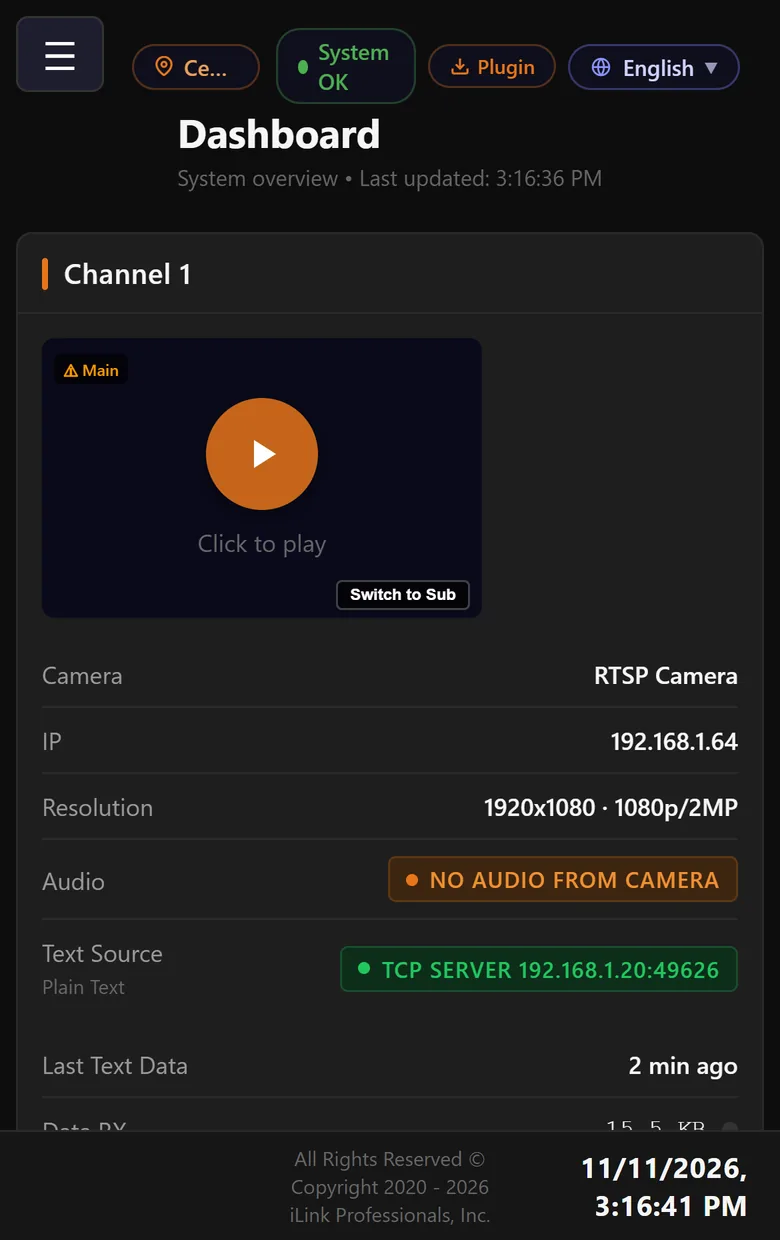
Every unit carries a QR sticker on its side. Point your phone at it, sign in, save the page. No static IP, no port forwarding, nothing to set up on the router.
- Live view of both registers with the text on the picture
- Search, reports and alerts, the same screens as in the store
- A viewer account for managers: they see everything and change nothing
- The first year of remote access is included. After that it is optional, and the unit keeps working on your own network either way.
The screens speak seven languages
QR sticker on the side of the unit
More than one store? iTIVO Cloud
All your stores, one login. And you can just ask.
Each unit works by itself, with no subscription. When you have several, iTIVO Cloud puts them in one place: every store's sales, cash and exceptions side by side, predictions, live register cameras, and an assistant that answers in plain English from your own numbers. It is an optional service, priced per camera per month, and you can add it later.
Every store, side by side
Today's sales, cash and transactions for each location, ranked and compared. “Needs your attention” brings up the stores with the most exceptions.
Every register, live
Watch 1, 4, 9 or up to 32 register cameras at once, from any store, and save your own layouts. The video goes straight from your unit to your screen.
Start with one store
iTIVO Cloud connects to the units you already have. Pair one in minutes, add the others when you are ready, cancel when you like.
For installers and IT
In line in an afternoon. Nothing to replace.
The camera goes into the unit, the unit goes into the recorder in the camera's place. The register connects by a CAT cable, over the network or from the cloud. The recorder never knows the difference, except that the picture now carries the receipt.
See exactly what the register sends, line by line, and what the unit makes of it. Strip printer codes and separator lines with a tick box.
- Cameras inONVIF with discovery, or an RTSP address. H.264 and H.265, passed on at the camera's own resolution: up to 12 MP on iTIVO-IP, up to 4K / 8 MP per camera on iTIVO-IP2.
- Recorder outThe unit answers as an ONVIF camera with a main and a sub stream. Works with the recorders already on the wall.
- One port, two addressesOn a two-register unit, LAN 1 carries an address for each channel, so the recorder adds two cameras. An optional second LAN keeps a camera or register network apart, with its own DHCP server.
- Register text inRS-232 through the supplied iTIVO-FC adapter and a CAT cable, USB serial, TCP server or client, UDP, or a cloud register's own service.
- Registers that need an answerPrinter handshake emulation answers the register the way its printer would. A text forwarder passes a copy on to a device that was fed before.
- Set up without the LANA built-in Wi-Fi hotspot for the first minutes on site, a local console on HDMI, and remote access for everything after.
- No register on the day?The POS Data Tester and the Text Data Simulator send sample receipts into a channel, so you can place the text and show the owner the result.
- Service from your phoneEvery setting, the diagnostic console and the test tools work over remote access. Most fixes and changes for a client are made from wherever you are, on your phone, without a truck roll.
- Looks after itselfFirmware updates install at night, by themselves. Snapshots and clips are cleaned up by age and by disk quota.
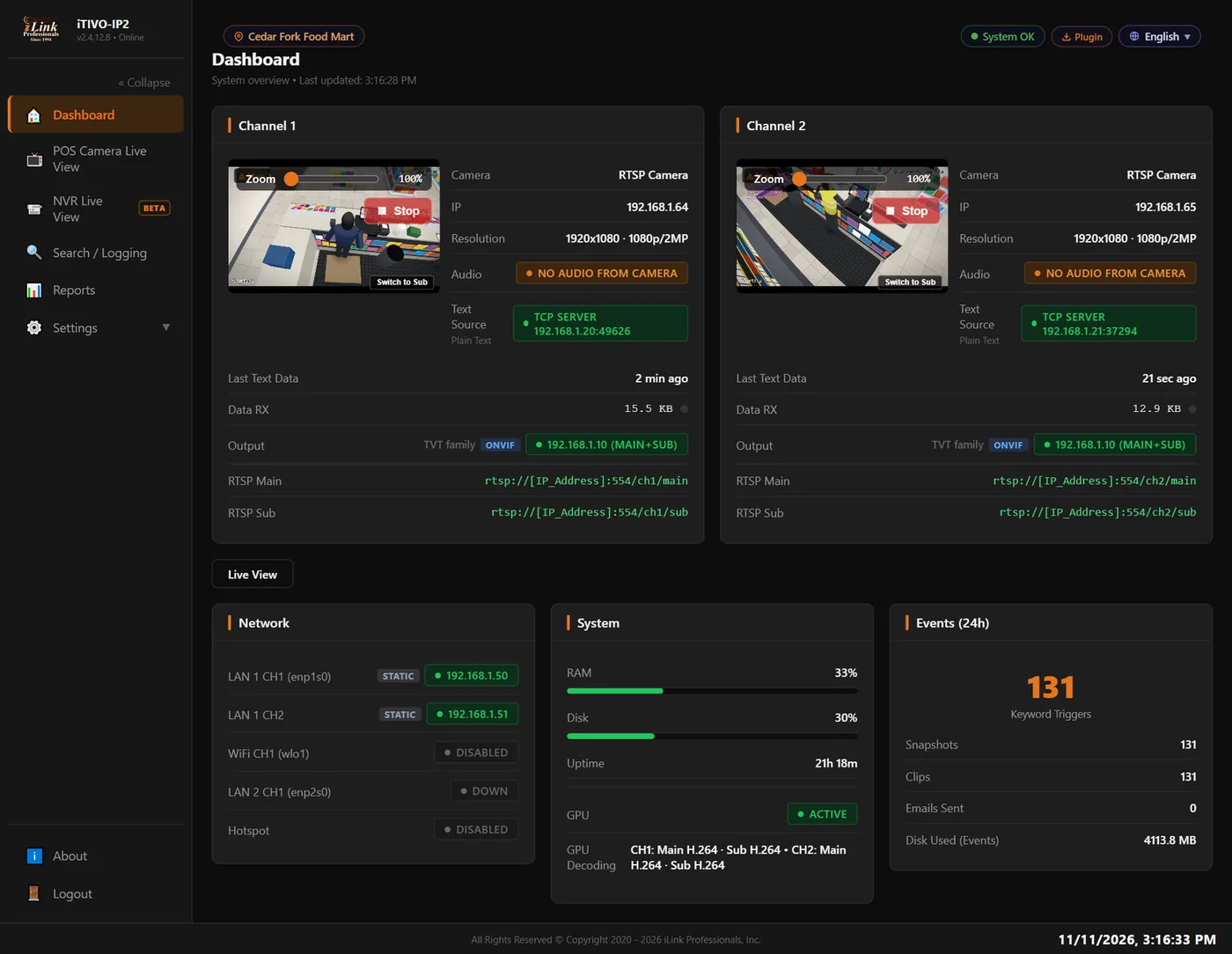
The real screens
Everything in a browser. Nothing to install.
Works with the register you have
If it prints a receipt, iTIVO-IP can read it.
The unit knows the language of the registers below, and its smart parser learns the layout of the rest. We ship it with the adapter or cable for your register.
The full list
Fuel and convenience
- Gilbarco Passport
- Verifone Ruby 2 · Ruby Ci · Topaz
- Verifone C18
- Dresser Wayne Nucleus
- 7-Eleven / NEC
- NRSNational Retail Solutions
Retail and liquor
- NCR
- PC America
- POS 360 Liquor
- RetailZ
- Epicor
- JKRetail
- SAM4s
- Sharp
- QuickBooks POS
- Microsoft RMS
Restaurants
- NCR Aloha
- Radiant
- Toast
- Restaurant Manager
Cloud and tablet
- Clover
- Square
- Toast
And the rest
- Epson receipt format
- Any serial registerRS-232 or USB
- Any network registerTCP or UDP
- Plain textwith the smart parser
See it on real registers
Recorded remotely from live stores. On site, text and video look sharper still.
Register and POS names and logos are trademarks of their respective owners. They are named only to say what iTIVO-IP works with. No affiliation with them, and no endorsement by them, is implied.
Not only registers
Anything that sends text can be on the picture.
A register is one device that prints lines. There are many others. iTIVO-IP takes the text of any device with a serial or network output, prints it on the camera that watches it, keeps it, and lets you search it: you find the line, and you see what was physically there.
If it has a serial port or sends text over the network, ask us. Bar-code readers, access control panels, GPS units, self-checkout kiosks and most RS-232 devices connect the same way a register does.
Everything it does
88 features in one small box.
The whole list, in twelve groups. All of it is in the unit you buy, except where a line says optional or BETA.
Text on the video
- Every register line printed on the camera's picture as it is rung up
- Place the text anywhere on the picture
- Rich text colors, on a background of any color and transparency
- Any font and any size
- Scrolling speed, line spacing and clear timers
- Exception keywords can blink, change color, grow or sit in a colored box
- Or keep the picture clean and still keep every record
Cameras and recorder
- iTIVO-IP for one camera and register, iTIVO-IP2 for two
- Cameras up to 12 MP on iTIVO-IP, up to 4K / 8 MP each on iTIVO-IP2
- H.264 and H.265, detected by itself
- ONVIF with discovery, or an RTSP address
- The picture is passed on at the camera's own resolution
- Your recorder adds the unit as a camera, main and sub stream
- Works with the recorder already on the wall
Registers and text devices
- Serial RS-232 with the supplied adapter and a CAT cable
- USB serial, TCP server or client, UDP
- Cloud registers such as Square, Toast and Clover
- Knows Gilbarco, Verifone, NCR, Epson format and many more
- Smart parser for registers it has not met
- Printer handshake emulation
- Text forwarder for a device that was fed before
- Filters for printer codes and separator lines
Exceptions and alerts
- 14 exception keywords ready, 16 more of your own
- Amount triggers, such as a void over $50
- A snapshot and a clip of every exception
- Seconds before and after, as you set them
- E-mail with the picture and a one-tap clip
- WhatsApp to a number or a group (BETA)
- Copies to your FTP or SFTP server or Google Drive
- Cool-down and hourly limits, so alerts stay readable
- E-mail when a camera or the recorder disconnects, and when it is back
- A health report of the unit, its channels and its storage
Search and logging
- Search all register text: item, amount, cashier, card digits
- Exception events with picture and clip
- Every transaction with its items and tender
- Items sold, with quantity and revenue
- Filters by cashier, register, tender, amount, item count
- 180 days of receipts as delivered
- Export any list as a spreadsheet
- Jump to the recorder's own video of that minute
Reports
- Overview of the day: sales, average sale, cash share, best hour
- Exceptions by keyword, by day and by hour, with a heat map
- Sales by hour, tender, category and top 20 items
- Fuel and store sales kept apart, by payment
- Each cashier's sales, exceptions and exception rate
- Risk marked LOW, MED or HIGH
- PDF, e-mail or WhatsApp from every card
- Scheduled daily, weekly or monthly
Predictions and recommendations
- Forecast for the rest of today and the next seven days
- Expected sales by hour and expected items
- How many exceptions would be normal for the day
- A staffing plan around your real rush hours
- A loss-prevention watch that points to the footage
- Business health against the period before
- A cash-risk score from 0 to 100
Theft Detection (BETA)
- A short review queue instead of hours of video
- Cash void or refund after a cash sale
- Refund without a sale, drawer opened with no sale
- Cash-void clusters and cash not accounted for
- Nobody at the counter, seen by the camera
- Cash going to a pocket
- Items counted at the scanner against the receipt
- An optional third camera just for the cash
- Quiet collection or live alerts, as you choose
Live view and remote access
- Live view in any browser, with the text on the picture
- Phone, tablet and desktop
- QR sticker on the unit opens your store
- No static IP and no port forwarding
- The first year of remote access included
- Snapshots and clips taken from the live page
- A local screen on HDMI for the back office
Users, security and languages
- Administrator, manager and viewer accounts
- A viewer sees everything and changes nothing
- Password recovery and account lockout
- Register text accepted from one address only, if you wish
- English, Spanish, French, Hindi, Bengali, Gujarati and Urdu
Network and set-up
- One port, an address for each channel
- Optional second LAN with its own DHCP server
- Wi-Fi, and a built-in hotspot for the first set-up
- Dashboard with the health of every channel
- Live diagnostic console: raw, filtered and HEX
- POS Data Tester and Text Data Simulator
- Installers make most fixes and changes remotely, from a phone
Looks after itself
- Firmware updates install at night, by themselves
- Snapshots, clips and logs cleaned up by age and disk quota
- Remote support from iLinkPro when you ask for it
- One-time purchase, no monthly fee for a single store
- iTIVO Cloud for several stores, if and when you want it
What owners and installers say
4.5 out of 5, from 32 reviews.
On Google and on our product pages at ilinkpro.com, by store owners and by the installers who put it in, on Gilbarco, Verifone, Clover, NCR, Square, Epicor and more.
- Google review
Bought a iTIVO2 text inserter and i am very impressed with the functionality and ease of use. Sonny is great to work with and very helpful with explaining the functions of the device.
Ozzy salas, October 2026 - Google review
First time using the iLink iTIVO text overlay device and Sunny (spelling?) in tech support was absolutely fantastic. Knowledgable, professional, and a pleasure to work with. I will/would recommend iLink Professionals not just for the product, but also the support help as well! Thanks!
Design Team, August 2026 - Google review
iLink Professionals are indeed professionals! They provide exceptional customer service and technical support!
Scandia IT, May 2025 - Google review
Love the company, they have great support and are very responsive. Their hardware was great, and with the app for Clover, it is even better!
Ron “VDO Ron” Young, June 2023 - iTIVO-IP2Perfect 2-in-1 solution for our registers and ATM
We were looking for a security solution that could handle both our POS checkout counters and our in-store ATM, and this dual text interface has been a lifesaver. …
Rajesh Patel, 10/11/2026 - iTIVO-IP, 7-Eleven NECWorks flawlessly with our NEC system. Highly recommended
Now, every voided bill, refund, and cash drawer opening is clearly documented on the video. The setup was seamless.
John Smith, 10/17/2026 - iTIVO-IP2, EpicorExcellent 2-in-1 security solution for my store
We have two checkout counters running Epicor POS, and this dual-register text interface has been a fantastic investment. …
Christopher Harris, 10/02/2026 - iTIVO-IP, Gilbarco PassportPerfect security integration for our Gilbarco Passport
We installed this unit with our Gilbarco Passport register, and it has become a valuable tool for keeping transactions transparent and reducing potential theft. …
Amit Sharma, 09/03/2026 - iTIVO-IP, CloverGreater Peace of Mind for Store Owners
I am using this device with my Clover POS system, and it has completely solved my security worries. As a store owner, it is very difficult to keep an eye on every transaction. …
Nauman, 07/16/2026 - iTIVO-IP, Gilbarco PassportAnother successful installation
I got it for a customer with a Gilbarco register at Gas station, checked the instructions a couple of times while setting it up with gilbarco cable but got everything working in the end. My customer is happy with it
Zak Kamil, 11/10/2026 - iTIVO-IP2, JKRetailExcellent security upgrade for our supermarket
We run a busy supermarket with two checkout lanes using JKRetail POS. This dual-register text interface has been an incredible addition to our security setup
Steven Robert, 10/08/2026 - iTIVO-IP, Verifone Ruby 2Does what it says.
Bought this for our Verifone Ruby 2. Installation took a little figuring out but got it working. Now the bill details show up on our camera feed. Good for keeping an eye on cashiers.
Jason Brooks, 09/22/2026 - iTIVO-IP, RetailZPerfect add-on for our RetailZ POS
Outstanding performance i must say. The crystal clear text overlay makes every transaction easy to review even during peak hours. …
Matthew Ward, 09/26/2026 - iTIVO-IP, Verifone Ruby 2Good product
Installed the iTIVO-IP for one of my customer and after a little help from the iLink team during setup i got the POS and camera system working together perfectly.
Kevin Turner, 08/30/2026 - iTIVO-IP2, SquareGood for dual counters
bought this for my cafe with two square registers works fine connects both cameras easily text is clear on video helpful for my business
Nikhil sharma, 09/14/2026 - iTIVO-IPProtecting Our Business with Transaction Monitoring
This has been a great addition to our store's security system. It gives me peace of mind by making it easier to resolve customer disputes, monitor transactions, and reduce the risk of internal theft.
Michael Davis, 08/11/2026
Your own numbers
What a few dollars a day adds up to.
Move the sliders to match your store. A loss you cannot see is still paid every week, at every register.
$20 a week is less than $3 a day: one voided cash sale, or one drawer opened for a few bills.
An illustration with the numbers you choose, not a promise. Most owners find what they lose only once they can see it.
Own it. Do not rent it.
On the picture, in real time, with no monthly bill.
Most cloud services that pair video with register data show the receipt beside the video, after the fact, for a fee per camera every month. iTIVO-IP prints it on the picture as it is rung up, records it on your own recorder, and is yours after one purchase.
| iTIVO-IP | Typical cloud subscription | |
|---|---|---|
| Receipt text | On the video itself | Beside the video |
| When | As it is rung up | After the fact |
| Price | One-time purchase | Monthly, often per camera |
| Your video | Stays on your recorder | In the vendor's cloud |
| Cameras | The ones you have | Often theirs |
| Reports and predictions | Included | Often a higher tier |
| If you stop paying | Nothing to stop | Access ends |
iLink Professionals, Inc.
Norcross, Georgia
iTIVO-IP409.00
1 register, 1 camera up to 12 MP
iTIVO-IP2695.00
2 registers, 2 cameras up to 4K / 8 MP each
UPGRADE IP TO IP2286.00
activation code, same unit
REPORTS + PREDICTIONSINCLUDED
ALERTS, SEARCHINCLUDED
REMOTE ACCESS YEAR 1INCLUDED
MONTHLY FEE0.00
Remote access after year one and iTIVO Cloud for several stores are optional services. Register adapters are priced by register model. Prices as listed at ilinkpro.com.
THANK YOU
Buying opens our store at ilinkpro.com in a new tab.
Questions owners ask
Before you buy.
What does iTIVO-IP do?
It prints every line your register rings up onto the video of the camera above it, as it happens, so your recorder records the sale and the receipt together. It also keeps every receipt as searchable text, saves a snapshot and a clip of every void, no-sale or refund, sends alerts by e-mail or WhatsApp, and builds sales and employee reports.
Is there a monthly fee?
No. iTIVO-IP is a one-time purchase, and a single store needs no subscription. The first year of remote access is included; after that it is optional. iTIVO Cloud, for owners of several stores, is an optional service.
Which model do I need?
iTIVO-IP ($409) covers one register and one camera, up to 12 MP. iTIVO-IP2 ($695) covers two registers and two cameras, up to 4K (8 MP) each. Most stores have two registers. An iTIVO-IP can be upgraded to two registers later with an activation code.
Does it work with my cameras and my recorder (NVR)?
Yes, with ONVIF and RTSP IP cameras, H.264 and H.265. The camera goes into iTIVO-IP, and your recorder adds iTIVO-IP as a camera in its place, so the recorder you have keeps recording as before, now with the receipt on the picture.
Which registers and POS systems does it work with?
Gilbarco Passport, Verifone Ruby, Ruby Ci, Topaz and C18, NCR and NCR Aloha, Clover, Square, Toast, pcAmerica, POS 360, NRS, 7-Eleven NEC, SAM4s, Sharp, Epicor, JKRetail and most registers that send their receipt over a serial port or the network. Kits come with the adapter for your register.
Can I see my store from my phone?
Yes. Scan the QR sticker on the side of the unit and sign in. Live view, search, reports and alerts work from a phone, with no static IP and no port forwarding.
How does it help stop employee theft?
Voids, no-sales, refunds and payouts are marked on the video the moment they are rung, with a snapshot and a clip, so checking one takes seconds. Reports show each cashier's exception rate, and Theft Detection (BETA) puts the moments that fit a known pattern of cash theft into a short review queue.
Who builds it
Designed by the engineers who install it.
iLink Professionals has been in business in Georgia since 1994: cameras, recorders, point of sale and the networks that carry them. iTIVO-IP follows our coax text inserters and the recorders we integrated before it. Every screen in it answers a question an owner or an installer asked us on site.
It is engineered and supported in the United States by people with more than 35 years in this trade, and you can call them.
- 1994in business since
- 35+years of camera and POS integration
- 7languages on every screen
Engineering background
See it on your own register.
Tell us which register and recorder you have. We will show you your receipt on your camera.