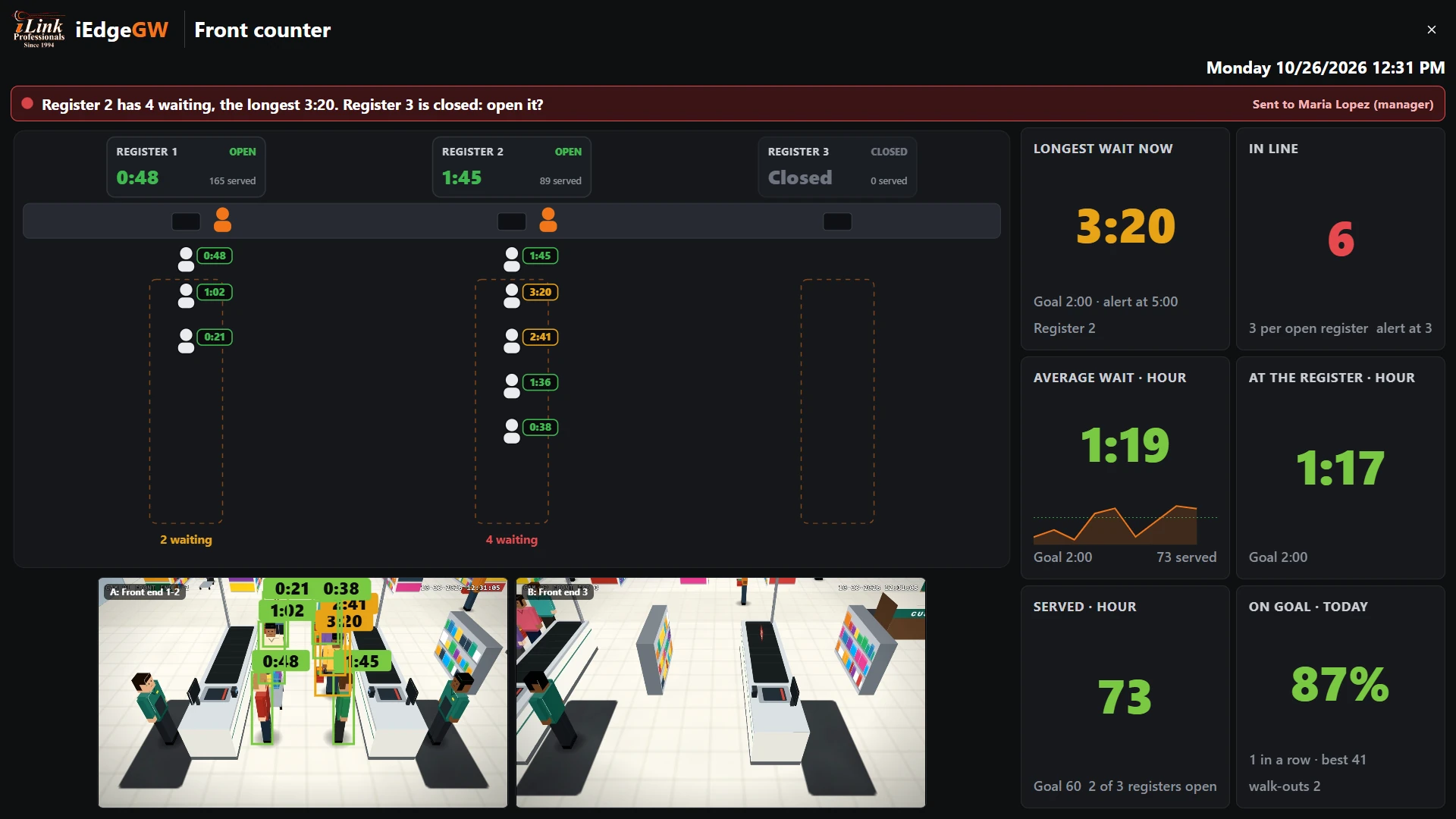
 Line
7Using the board every day
Leave it on a screen at the front end, or open it on a phone. It updates every second.
The banner: what is wrong now

| The banner | Means |
|---|---|
| Green | Every line on goal, and how many registers are open. |
| Amber | A problem has started: The manager is told in 0:30 if it lasts. Fix it now and nobody is bothered. |
| Red | The alert went out: the problem, what to do, and Sent to whom. When a register opens during it, the next message says so. |
| Green, easing | Easing off: back on goal; the alert ends after 2 minutes on goal. |
The counter and the lines
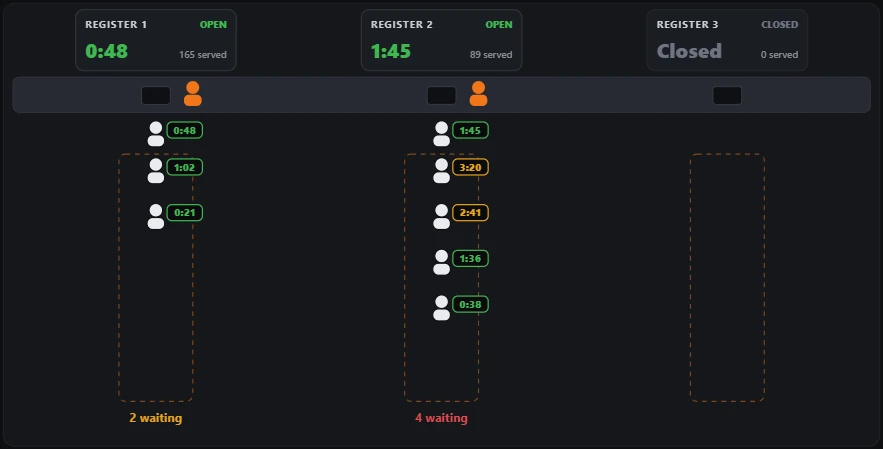
Each register's card says Open or Closed, the customer at the register now and how long they have been there, and how many it served today.
Below, the counter: a cashier (orange) at every open register. Then each line, with every person waiting and their own time, the longest at the front. Under each line: how many are waiting.
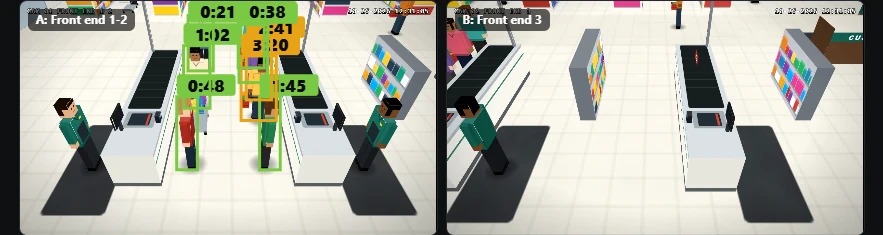
The counter drawing shows people as icons; the live pictures are the cameras' (below it, unless the Screen tab hides them).
The tiles
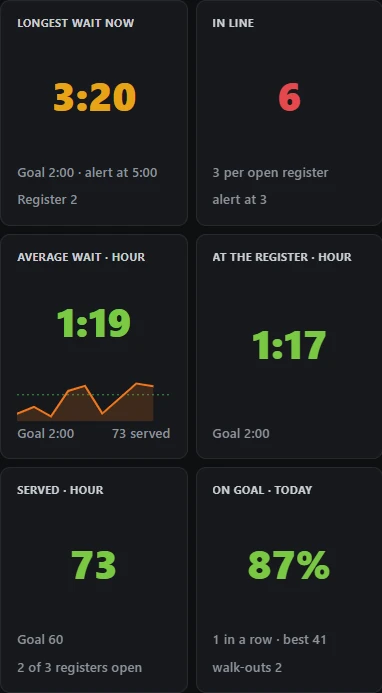
| Tile | Shows |
|---|---|
| Longest wait now | The longest wait of anyone in line, and at which register. |
| In line | Everyone waiting, and per open register (the alert level beside it). |
| Average wait · hour | The average wait of the last hour's customers, with its line over the last 30 minutes. |
| At the register · hour | The average time at the register (pickup, for a restaurant). |
| Served · hour | Customers served in the last hour, against the goal; how many registers are open. |
| On goal · today | The share of today's customers served within the goal; customers in a row on goal, the day's best; walk-outs today. |
The cameras
TV mode
Click TV: the board fills the screen, for a TV at the front end or a monitor in the office. Esc leaves it. To keep it on a TV all day with no PC, see section 8.