 Line
iEdge Gateway · Setup and user guide
LineSense: front counter and checkout lines
Everything an owner or installer needs for the front counter board: where it works, where the cameras go, the set-up step by step, wait goals and alerts, the TV, reports, and what to check when something looks wrong.
1
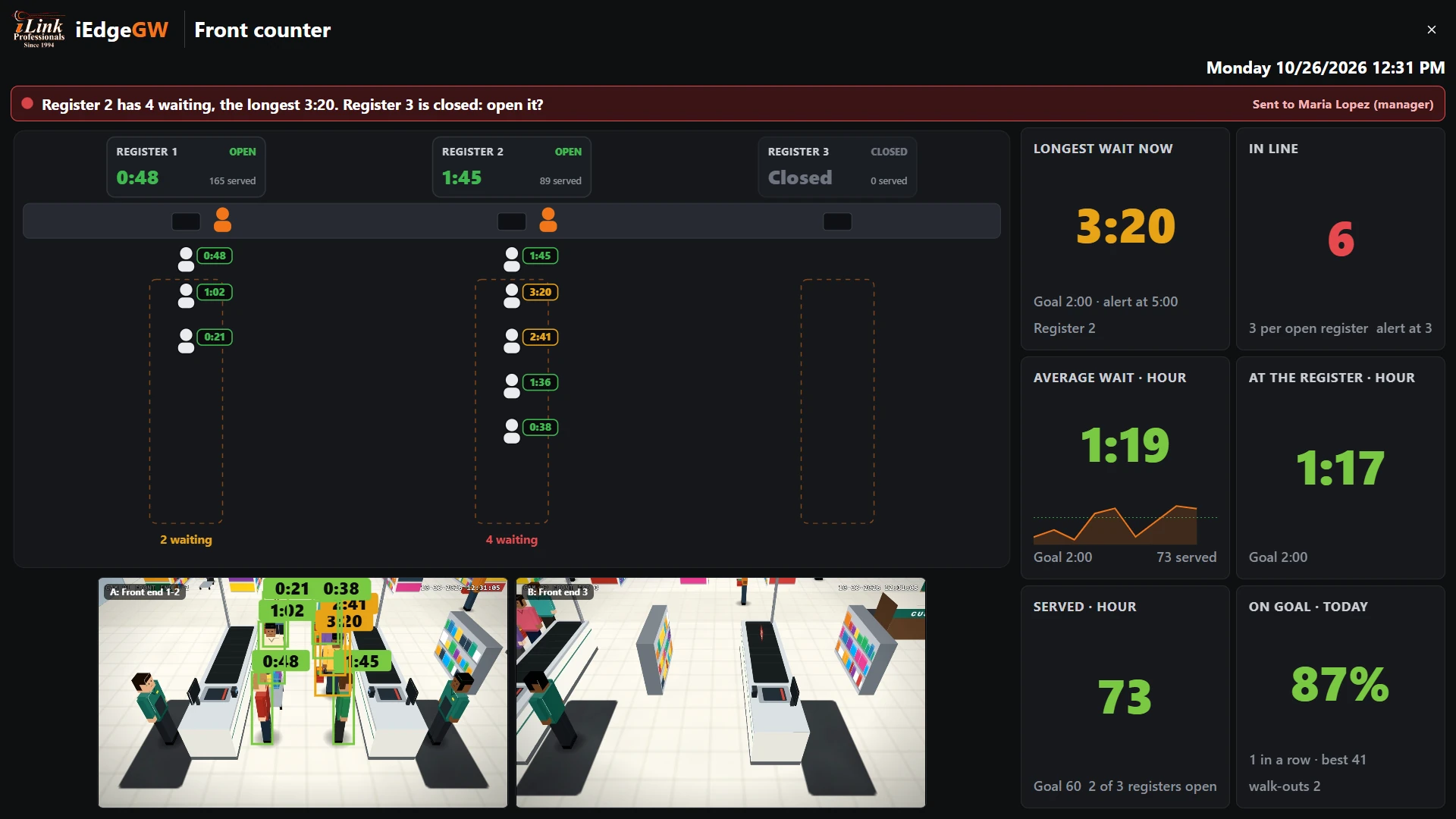
What LineSense doesWhat the LineSense board shows: every customer's wait at every register, which registers are open, and the message sent to the manager when a line grows.
2
Where it worksWhere LineSense works: grocery checkouts, restaurant counters, convenience stores, pharmacies and service desks, with the starting times for each store type.
3
Before you startWhat to check before setting up the checkout line timer: the cameras over the registers, their video, the gateway's clock and room for the analytics.
4
Where to put the camerasWhere cameras go to time a checkout line: 12 to 16 ft high at the register end, looking back down the line, with the cashier's place in view.
5
Set up the board, step by stepSet up the front counter board step by step: make the board, pick the store type, draw each register's line, its spot at the register and its cashier's place.
6
Times, alerts and who is toldSet the wait time goals for your store, turn on the alerts for a long line or a long wait, and choose which manager and supervisor are told.
7
Using the board every dayUsing the front counter board day to day: TV mode over the checkouts, reading the banner and the tiles, and the cameras with each person's wait.
8
A TV with no PC: the gateway's HDMI portsShow the line board on a TV with no PC: plug the TV into the gateway's HDMI port and give the board its own screen.
9
ReportsCheckout line reports by register, hour and weekday: customers, average and longest wait, share on goal and walk-outs, sent daily, weekly or monthly.
10
Where alerts and reports goSend line alerts and reports by e-mail and WhatsApp, with copies to an FTP or SFTP server or Google Drive, and choose when alerts go out.
11
How the times are measuredHow LineSense measures each wait: when a person counts as in line, when the wait starts and ends, changing lines, walk-outs and open registers.
12
When something looks wrongWhat to check when line times look wrong: people not counted, zones in the wrong place, a register shown closed, camera problems and alerts that stopped.
13
Setup checklistA printable checklist for setting up the checkout line timer: before you start, during set-up and after.
Stuck on a step?
iLink Professionals supports owners and installers. Call, or send us a message.