
Skip to the content
iLink ProfessionalsSmart AI & InsightsGUIDE
All topics (7 of 16)
  1. 1What it does
  2. 2Where it works
  3. 3Before you start
  4. 4Guard a camera: lines and areas
  5. 5More detections
  6. 6When alerts are sent
  7. 7Where alerts go
  8. 8The alert, and finding it again
  9. 9Cameras' own alarms, and more
  10. 10Dashboards
  11. 11Cards, charts, heat maps
  12. 12Zones and lines
  13. 13TV, phone, full screen
  14. 14How it counts
  15. 15When something looks wrong
  16. 16Setup checklist

Smart AI & Insights › Guide › Where alerts go, and who gets them

7Where alerts go, and who gets them

Three things to set once: which kinds of alerts go where (Alert Outputs), the e-mail, and WhatsApp. All in Settings › Notifications & Alerts.

Which alerts go where: Alert Outputs

A row for each kind of alert, a column for each way: Email, WhatsApp, Picture, Clip, FTP, Google Drive, and its When (section 6). Each column's header has an All box. Click Save.
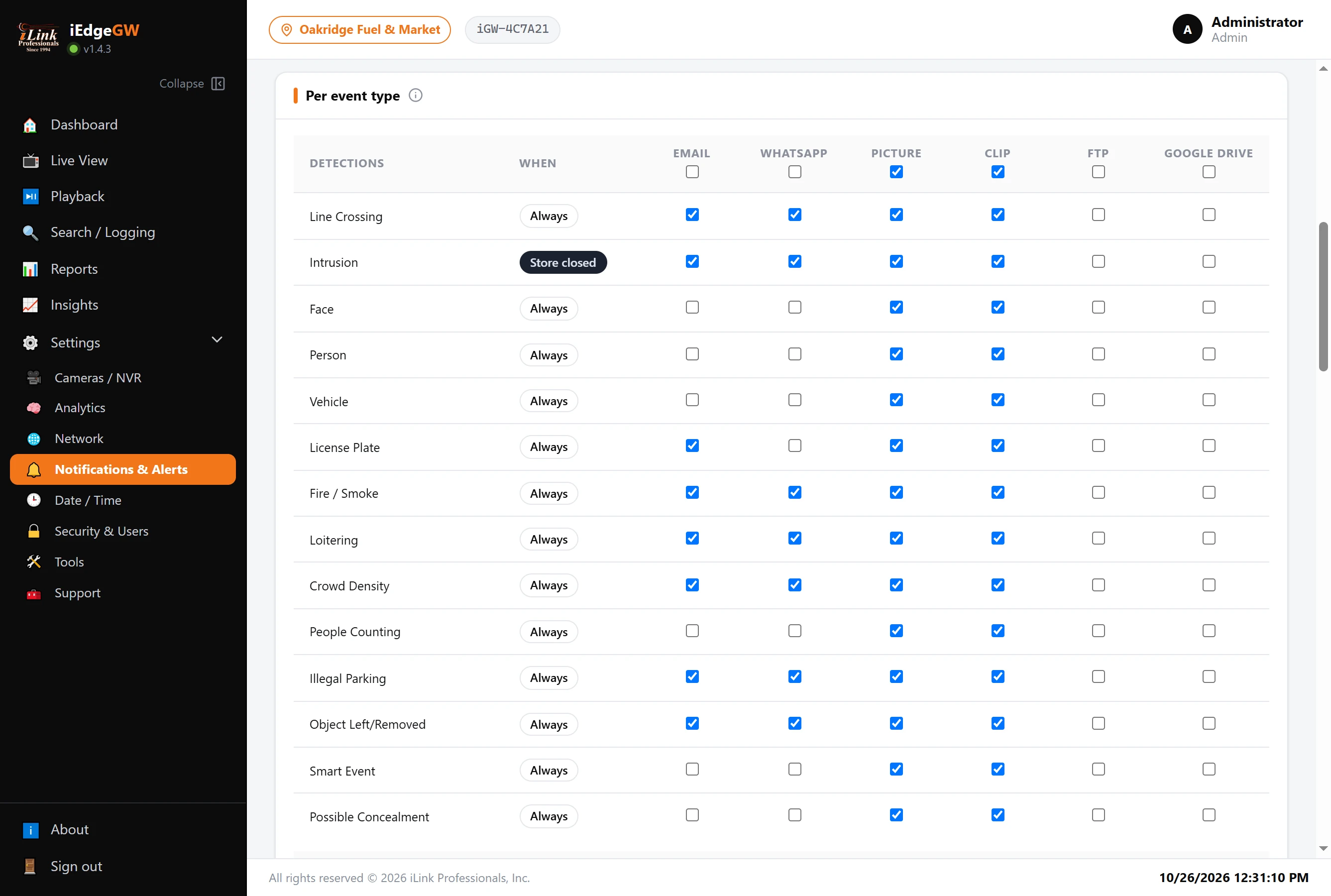
Oakridge's Alert Outputs: e-mail, WhatsApp, the picture and the clip for line crossing, intrusion, loitering, crowds, illegal parking, objects left or removed, and fire or smoke; i
Oakridge's Alert Outputs: e-mail, WhatsApp, the picture and the clip for line crossing, intrusion, loitering, crowds, illegal parking, objects left or removed, and fire or smoke; intrusion only when the store is closed.
E-mail and WhatsApp are off until you tick themA new gateway keeps every alert in Search but sends none by e-mail or WhatsApp. Tick them for the kinds you want: Line Crossing, Intrusion, Loitering, and so on. Untick any column for a service you do not use.

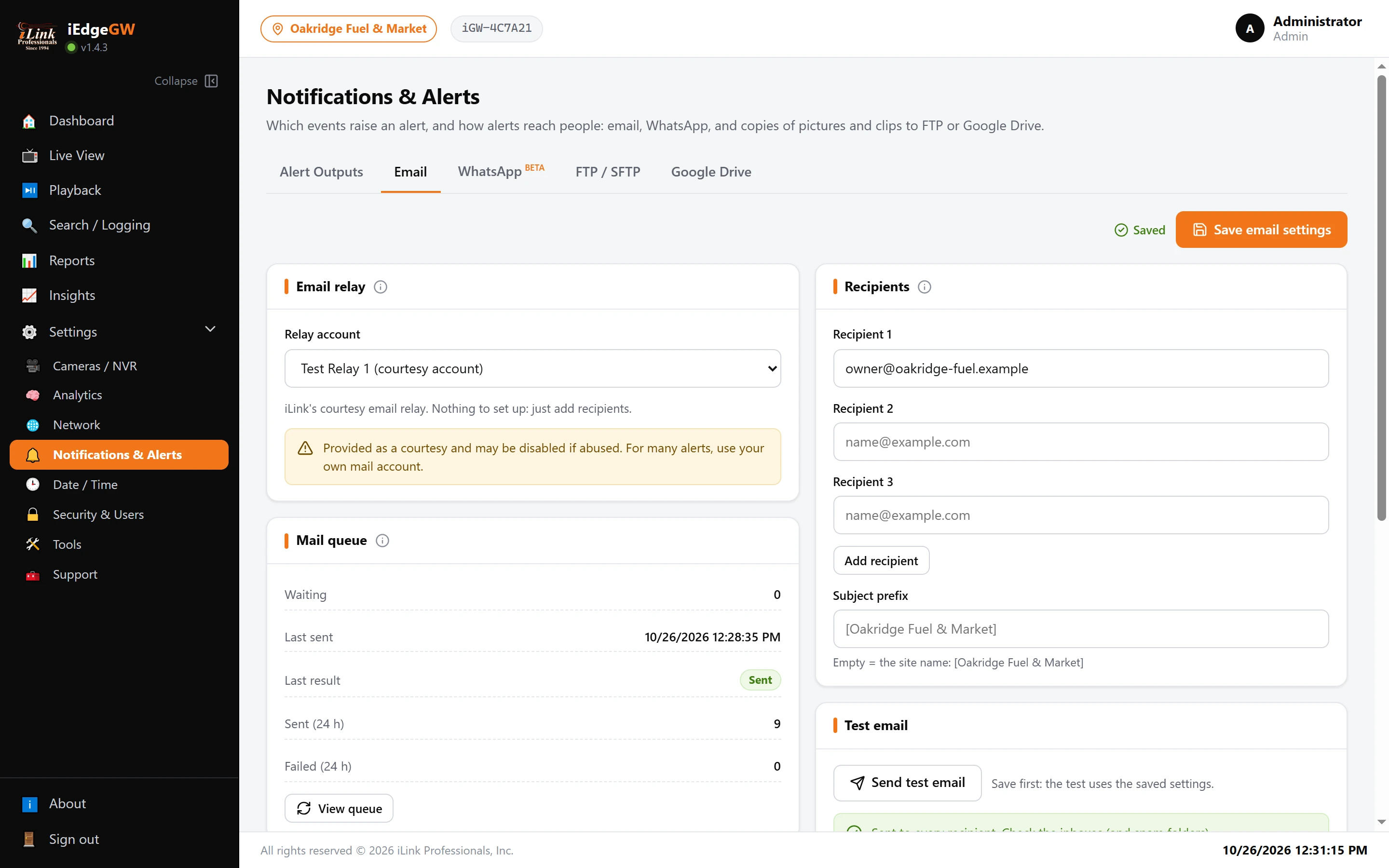
E-mail

  • Relay account: iLink's courtesy relay, or your own (Gmail, Microsoft 365, Yahoo, Outlook.com, GoDaddy, or any SMTP server).
  • Recipients: up to 5 addresses.
  • Send test email (save first).
  • Video clips in alerts: a Link (recommended: opens in the browser with no sign-in, for 7 days) or the clip attached (up to 22 MB).
  • Rate limiting: at most one e-mail every 180 s about the same camera and kind of alert, and 25 an hour; the rest wait in the queue.
Smart AI & Insights guide: Where alerts go, and who gets them

WhatsApp

Turn on WhatsApp alerts: a code appears. On the phone that will send the alerts, open WhatsApp › Settings › Linked devices › Link a device and scan it. Then add the Recipients: up to 10 numbers in international format, or WhatsApp groups (Load my groups), and Send test message.

Link health e-mails you if the link drops.
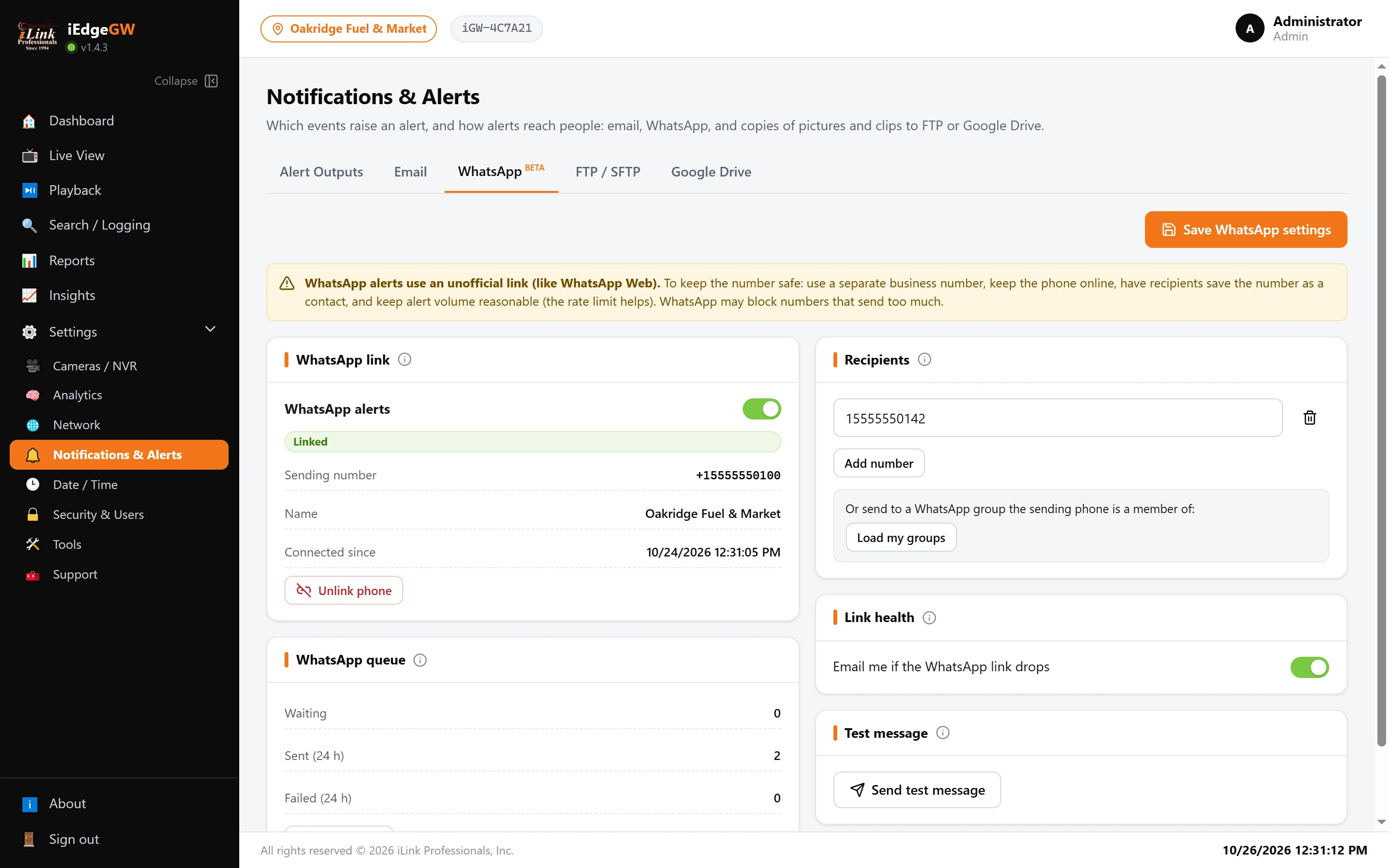
WhatsApp alerts use an unofficial linkIt works like WhatsApp Web (marked BETA). Use a separate business number to send from, keep that phone online, and have the recipients save its number as a contact.
Smart AI & Insights guide: Where alerts go, and who gets them

Who gets them: every e-mail recipient and every WhatsApp recipient gets every alert of the kinds ticked for that way. To tell different people about different places, use a WhatsApp group per team.

Copies: the FTP / SFTP and Google Drive tabs keep a copy of each alert's picture, a short note and its clip on your own server or drive.

The site's name in each alert is the Location name in About.

Stuck on a step?

iLink Professionals supports owners and installers. Call, or send us a message.