 Smart AI
Alerts worth opening
Every alarm gets a second look by the AI before it reaches you, and your cameras' own motion alarms are double-checked too. A tree in the wind stays in the log.
Turn the security cameras you already have into a night guard and a business analyst. After hours, the AI watches for people, vehicles, smoke and fire, and tells you the moment it matters, with the clip. By day, the same cameras count your visitors, show your busiest hours and map where people go.
A small iEdge Gateway box on the camera network reads the streams your recorders already have and runs the AI on the box, not in a cloud. It sends the alerts itself (e-mail, WhatsApp, IP speakers, the recorder's audio out) and serves live dashboards to any browser or a TV. It never changes a camera's settings and never re-encodes video.
Most cameras only record what went wrong, for someone to find later. With AI on them, they speak up while it is happening, and between alarms they show you how your business really runs.
Every alarm gets a second look by the AI before it reaches you, and your cameras' own motion alarms are double-checked too. A tree in the wind stays in the log.
The moment someone is where they should not be, a speaker tells them they are on camera. Or you talk to them yourself, live, from the gateway's page.
Visitors today, people inside now, the busiest hours, which areas pull people in and how long they stay. Live, on a dashboard you build in minutes.
It works with the cameras and recorders you have. One small box on your network, set up in a browser, with your cameras left exactly as they are.
Pick a place, then switch between Security (what the AI tells you about) and Insights (what it counts for you). The lines and areas are drawn the way an installer draws them on the camera's picture; the alerts read word for word as they arrive on a phone.
Draw a line or an area on a camera's picture, pick what should raise an alert, and when. Each camera can mix several rules, and each rule can have its own hours.
Someone or something crosses a line you draw: a fence, a gate, a back door. Either way, or only with the arrow.
Anyone entering an area that should be empty: a yard after closing, a stockroom, a roof, a pool.
Someone staying too long where people should only pass: the doors at night, the ATM, the forecourt, the lot.
A number of people together for longer than you allow: a gathering in the lot after dark, a crowd at the entrance.
A vehicle standing too long in a fire lane, a loading bay, an entrance or a no-parking zone.
A bag left in a lobby, a box by the door; or a generator, a tool or a display that should not move, gone from its place.
Flames or smoke in a kitchen, a yard, a storage room or a dumpster area, from its own camera. An early warning beside your fire alarm, not instead of it.
At the shelves you mark, an item going into a pocket, a waistband, under clothing or into a bag becomes a case with its clip, for you to review.
Person, car, truck, bus, bicycle, motorcycle. Alert only on people in the yard, only on trucks at the gate, or on any of them.
A camera at the door can capture each visitor's face once. Recognizing known people, or someone not allowed in, is an option you turn on; unknown faces are deleted by themselves.
Plates read by your license plate cameras or recorder come in as alerts, with the plate in the subject, and add up to a list of plates seen most.
The motion, line and area alarms your cameras and recorders raise themselves are checked by the AI first. With nobody in the picture, they are kept in Search and not sent.
Mark the shelves that matter (accessories, health and beauty, tobacco, spirits) as shoplifting zones. The AI watches the hands there.
Each shoplifting camera can start "on trial": cases are kept in Search and sent nowhere until you put it live, so you can check a camera's angle before anyone is told.
An alarm system that cries wolf gets switched off. So before anything reaches your phone, it is checked.
Before the gateway's own alarm goes out, the AI looks at that moment again to make sure.
"Double-check camera alarms": motion, line and area alarms from cameras and recorders are sent only when the AI sees a person or vehicle in them.
Handled for you: the counts and crossings stay the same with rain falling on the lens.
A car parked in the area is one alert, not one a minute. A still look-alike (a statue, a poster) is learned and left alone.
Only the lines and areas you draw wake the AI, so passers-by on the street never do.
On 16,211 pictures the model had never seen, false fire and smoke detections fell from 385 to 6 with our second model.
Choose for each kind of alert how it goes out and to whom. Every alert carries the camera's picture with the AI's box on it, and the clip from 5 seconds before to 10 seconds after.
The picture attached, the clip as a link or attached, to up to five people.
The clip itself, playing in the chat, to people or groups, from a phone you link.
IP speakers, or the recorder's or camera's audio out: your message once, up to ten times, or in a loop until someone stops it.
The gateway's Alerts list with a sound and a pop-up, the clip and the camera live beside it. Acknowledge with a note.
Pictures and clips to your own FTP / SFTP server or a Google Drive folder.
Outside the chosen hours an alert is still kept, with its clip, in Search: nothing is lost, nobody is woken for it.
The same cameras that guard you at night count for you all day. Build a dashboard per location from ready-made cards, watch it live in any browser, or let it rotate on a TV in the back office.
The activity report sums up the day, the week or the month, and arrives by itself: by e-mail as a PDF, by WhatsApp with a summary, or in your own FTP or Google Drive folder.
The gateway reads the streams your recorder already has. Draw a line or an area on a camera's picture, choose what it watches for and who is told: a few minutes a camera.
The iEdge Gateway goes on the camera network. Its own pages open in any browser, on site or remotely.
Pick the brand, enter the address and login; the cameras come with it. TVT recorders can also be added by serial number or QR code, through the recorder's own cloud.
Lines and areas on each camera's picture: what raises an alert, for which people or vehicles, and at what hours.
E-mail, WhatsApp, speakers, the on-screen Alerts list, and when: always, closed hours, open hours or set times.
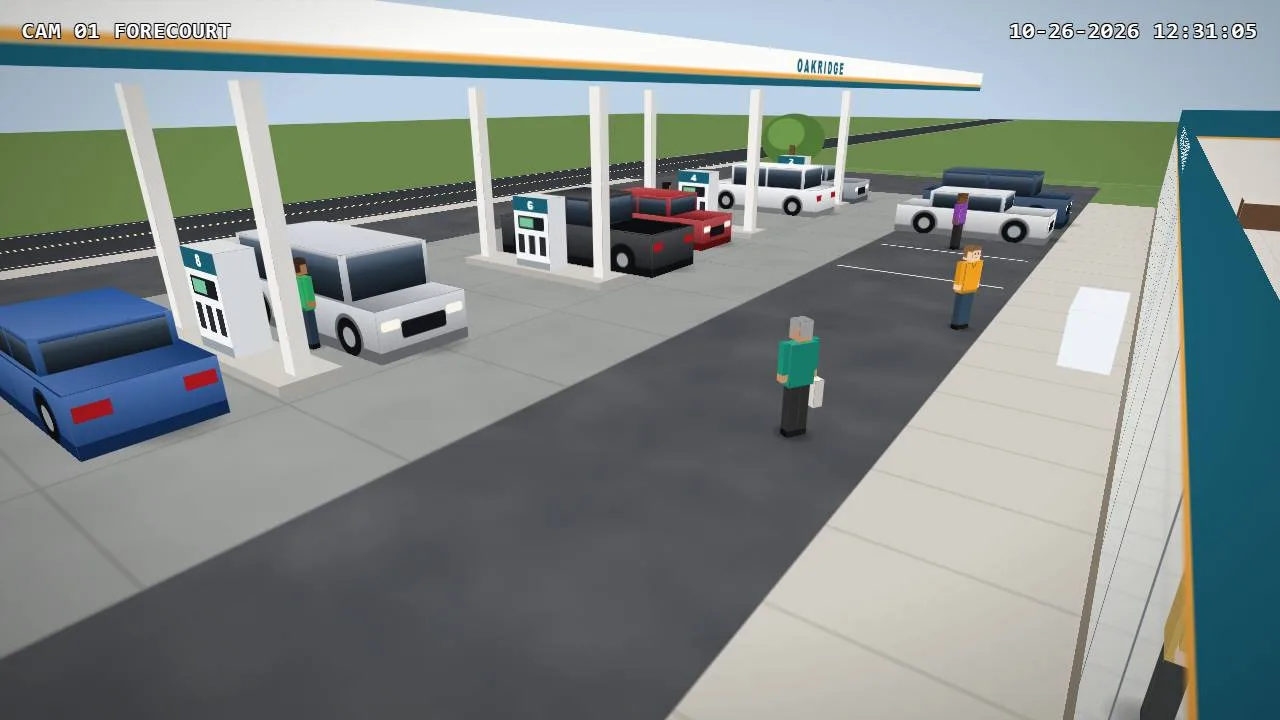 Forecourt after hours
From the pumps →
Drawing the rules
| On site | One iEdge Gateway box on the camera network. It runs the AI, keeps the alert clips, serves the dashboards and sends the alerts. |
|---|---|
| Cameras | Through Hikvision, Dahua, TVT, Uniview and Hanwha recorders, or ONVIF and RTSP cameras added directly, and many more. Each stream is read once; one login per recorder. |
| The camera's settings | Read, never changed. Video is never re-encoded. |
| AI capacity | Measured on the box and shared by Security and Insights. Settings shows how much room is left before you add a camera, and admits cameras in the order you choose. |
| Alerts out | E-mail (our relay or your own mail server), WhatsApp (a linked phone), IP speakers (SIP), the recorder's or camera's audio out, FTP / SFTP and Google Drive. |
| Display | Any browser, on site or remotely; the box's HDMI to a TV for dashboards, with no sign-in on that screen. |
| Live view and playback | Live view of every camera, with PTZ for ONVIF cameras, and playback of the recorder's own recordings. |
| White label | Dealers can show their own brand on the pages, the screens and the PDF reports. |
The gateway with Security and Insights, the alerts, the dashboards and the reports, for one location. It is in stock.
Or call 678-206-5465. In stock.
Smart AI & Insights is its own license on the iEdge Gateway. Timing a drive-thru or checkout lines is a different license: see Drive-Thru SOS and LineSense.
Not sure which? Ask usNo. It uses the cameras and recorders you already have: Hikvision, Dahua, TVT, Uniview and Hanwha recorders, and ONVIF or RTSP cameras added directly, and many more. A small iEdge Gateway box on the camera network runs the AI. It never changes a camera's settings.
Line crossing, intrusion into an area, loitering, crowds, illegal parking, objects left behind or taken, fire and smoke, possible shoplifting at the shelves you mark, and people and vehicles told apart (car, truck, bus, bicycle, motorcycle). A camera set up for it can capture faces, and recognizing known people is an option. It also double-checks your cameras' own alarms before they reach you.
By e-mail with the picture and the clip, by WhatsApp with the clip itself, on the gateway's Alerts list with a sound and a pop-up, and through IP speakers or the recorder's or camera's audio out: a sound once, up to ten times or in a loop until someone stops it. Each kind of alert can be sent always, only when you are closed, only when you are open, or at the times you choose.
The AI takes a second look before an alarm goes out, handles rain, night and camera shake, alerts once per object and only watches the lines and areas you draw. Your cameras' own motion and smart alarms are checked by the AI too: the ones with nobody in them are kept in Search and not sent. E-mail and WhatsApp are also paced, so a busy night never turns into hundreds of messages.
Yes. An alert can play a sound or a recorded message on IP speakers, or on the recorder's or camera's audio out, and you can broadcast live from the gateway's page. The Alerts list shows what is playing, with Stop and Broadcast.
You mark the shelves to watch. The AI follows the hands there and makes a case when an item goes into a pocket, a waistband, under clothing or into a bag. Each case has its picture and clip and asks the manager one question: was it a concealment? It needs no point-of-sale link, and staff areas are left out.
Live dashboards built from ready-made cards: people inside now, visitors today and per hour against last week, the busiest hours of the week, how busy each department or area is and how long people stay, vehicles by type, free parking spaces, cars at the pumps, heat maps of where people go, and recent alerts. One dashboard per location, in any browser or rotating on a TV, with each card downloadable as CSV.
Yes. Both come on the gateway, and you use what you need: alerts only, dashboards only, or both on the same cameras.
Up to 16 cameras per gateway. How many can run AI at once depends on what each one watches. The gateway measures its own capacity, shares it between Security and Insights, and tells you how much room is left before you add a camera.
$995, one time, for the iEdge Gateway with Smart AI & Insights: the alerts, the dashboards and the reports. There is no monthly fee for a single location. It uses the cameras and recorders you already have; you can also add 1 to 8 cameras with a motorized zoom lens when you order. A cloud service for owners with several locations is planned as a separate monthly plan.
No. The AI runs on the gateway on your premises and the video stays with your recorder. Only what you turn on leaves the building: the alerts you choose, with their picture and clip, copies to your own FTP or Google Drive, and remote access to the gateway's pages.
Yes, in your phone's browser: live view, the Alerts list with each clip, playback of your recorder's recordings, and the dashboards, which stack to fit the screen. There is no app to install.
No. Fire and smoke detection is an early warning from a camera, there to call someone sooner. Keep your certified fire alarm.
We build and support video, AI and point-of-sale systems for stores, restaurants and businesses of every size. The iEdge Gateway is engineered and supported in the US, by the same people who answer your call.
Tell us your kind of business, how many cameras and which recorder you have, and what keeps you up at night. We will tell you what it takes, and show it to you on your own cameras.