Skip to the content
iLink ProfessionalsSmart AI & InsightsGUIDE
All topics (8 of 16)
  1. 1What it does
  2. 2Where it works
  3. 3Before you start
  4. 4Guard a camera: lines and areas
  5. 5More detections
  6. 6When alerts are sent
  7. 7Where alerts go
  8. 8The alert, and finding it again
  9. 9Cameras' own alarms, and more
  10. 10Dashboards
  11. 11Cards, charts, heat maps
  12. 12Zones and lines
  13. 13TV, phone, full screen
  14. 14How it counts
  15. 15When something looks wrong
  16. 16Setup checklist

Smart AI & Insights › Guide › The alert, and finding it again

8The alert, and finding it again

An alert says where, what and when, with the picture and a short clip from just before.

On WhatsApp

One message: the site, the kind of alert and the camera; what the AI saw; the time; the rule. With the clip as a video (the picture if there is no clip):

[Oakridge Fuel & Market] Intrusion: Forecourt
Person entered 'Forecourt after hours'
10/27/2026 2:14:07 AM
Rule: Forecourt after hours

By e-mail

The same subject; a table with the alert, the camera, the time and the rule; the picture attached, with the AI's box and the rule drawn on it; and a Watch the video clip button (or the clip attached).

The clip runs from about 5 seconds before the alert to 10 seconds after, so you see what led to it. Each camera's clips come from its sub-stream by default (Cameras / NVR › Edit › Event clips from).

Search / Logging

Every alert is kept, sent or not, for 90 days (Keep events and pictures, in Alert Outputs). Search / Logging finds them by time, camera, kind, object, and who detected it (the gateway's AI, a camera or a recorder).
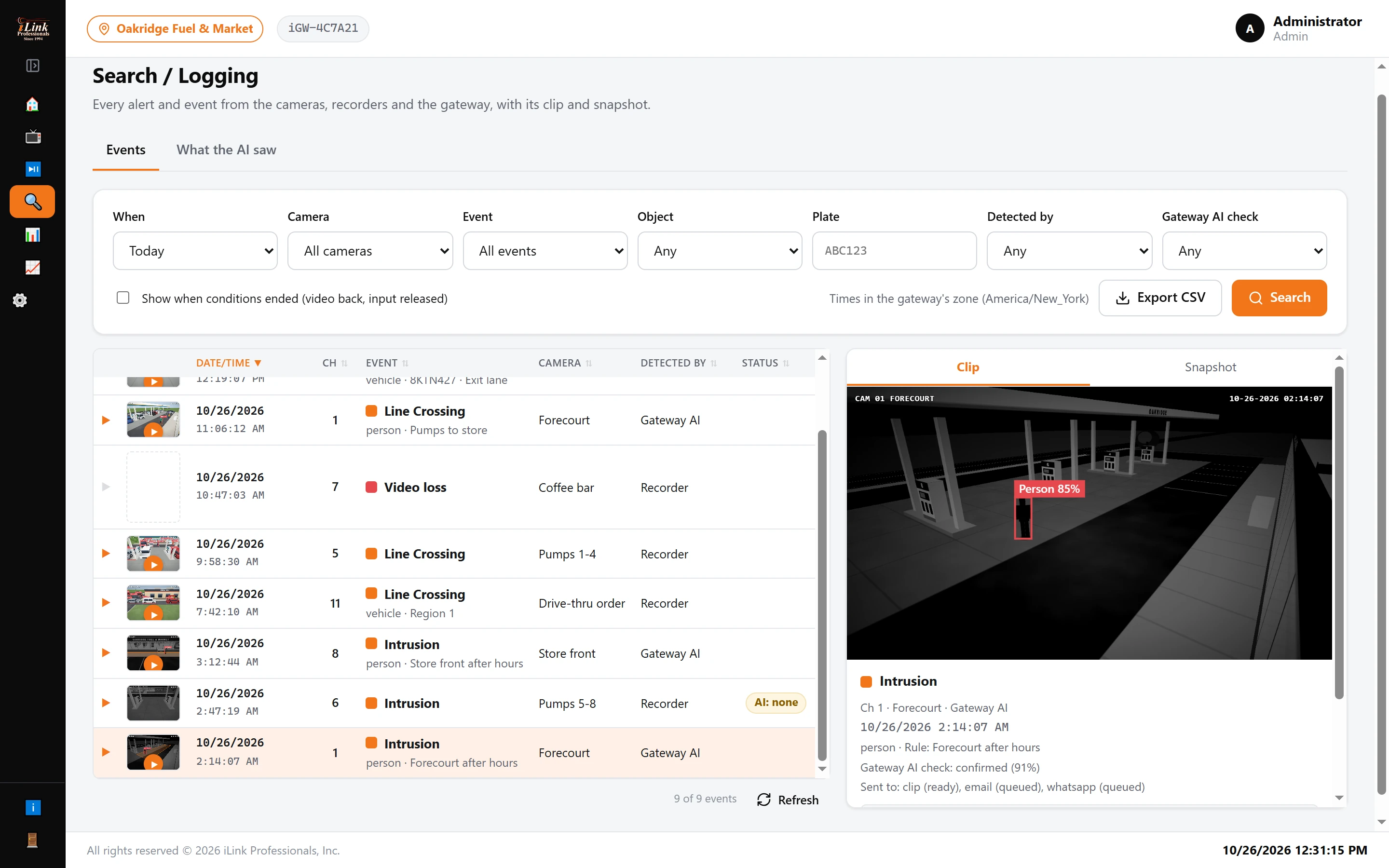
Today's events, with the 2:14 AM intrusion on the forecourt open on the right. Its clip plays with the AI's box drawn over it; under it: what it was, where it was sent (e-mail and
Today's events, with the 2:14 AM intrusion on the forecourt open on the right. Its clip plays with the AI's box drawn over it; under it: what it was, where it was sent (e-mail and WhatsApp), and the buttons to share it, play the recorder's recording around it, download it, or mark it handled.
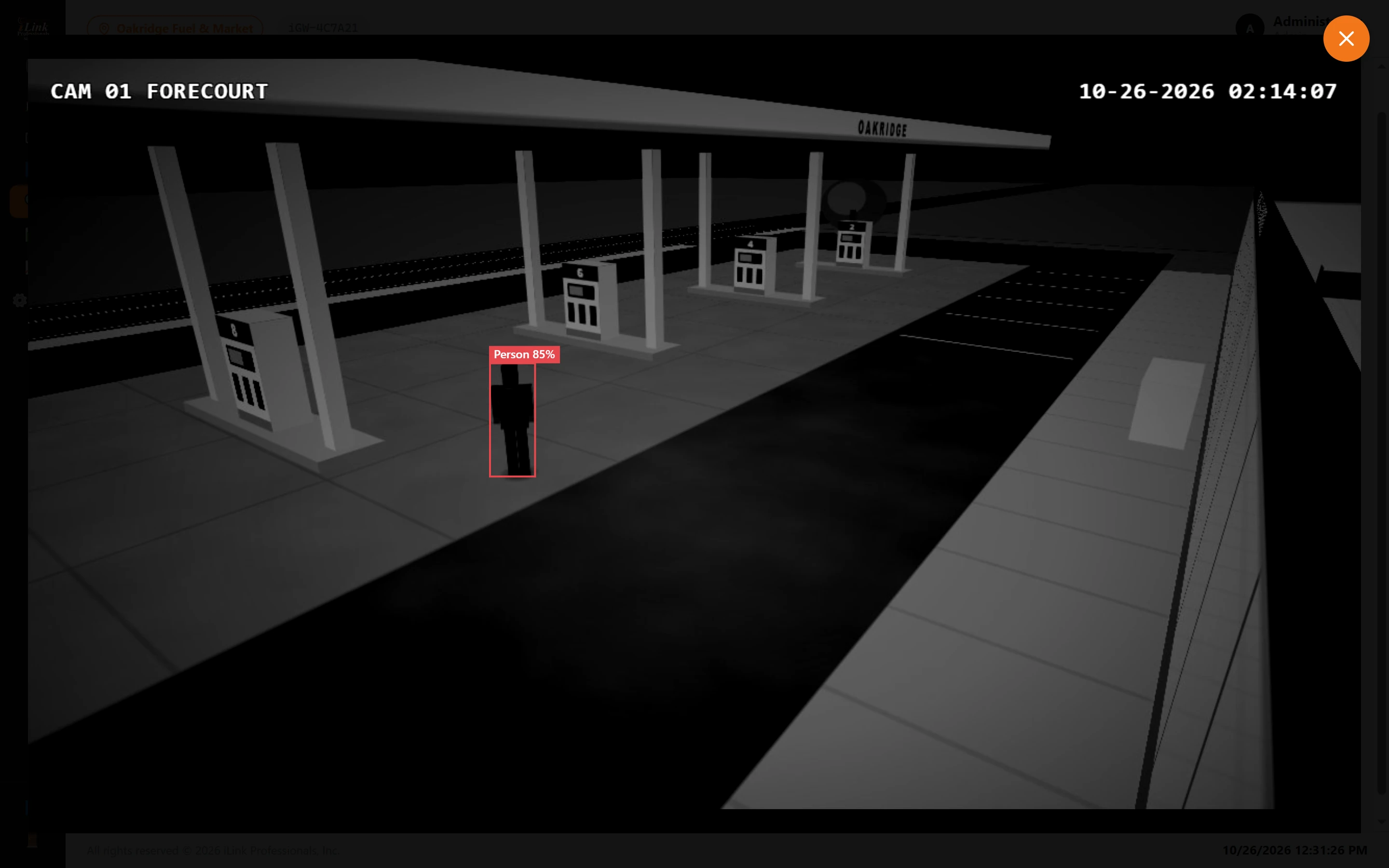
The 2:14 AM clip full size: the person the AI found.
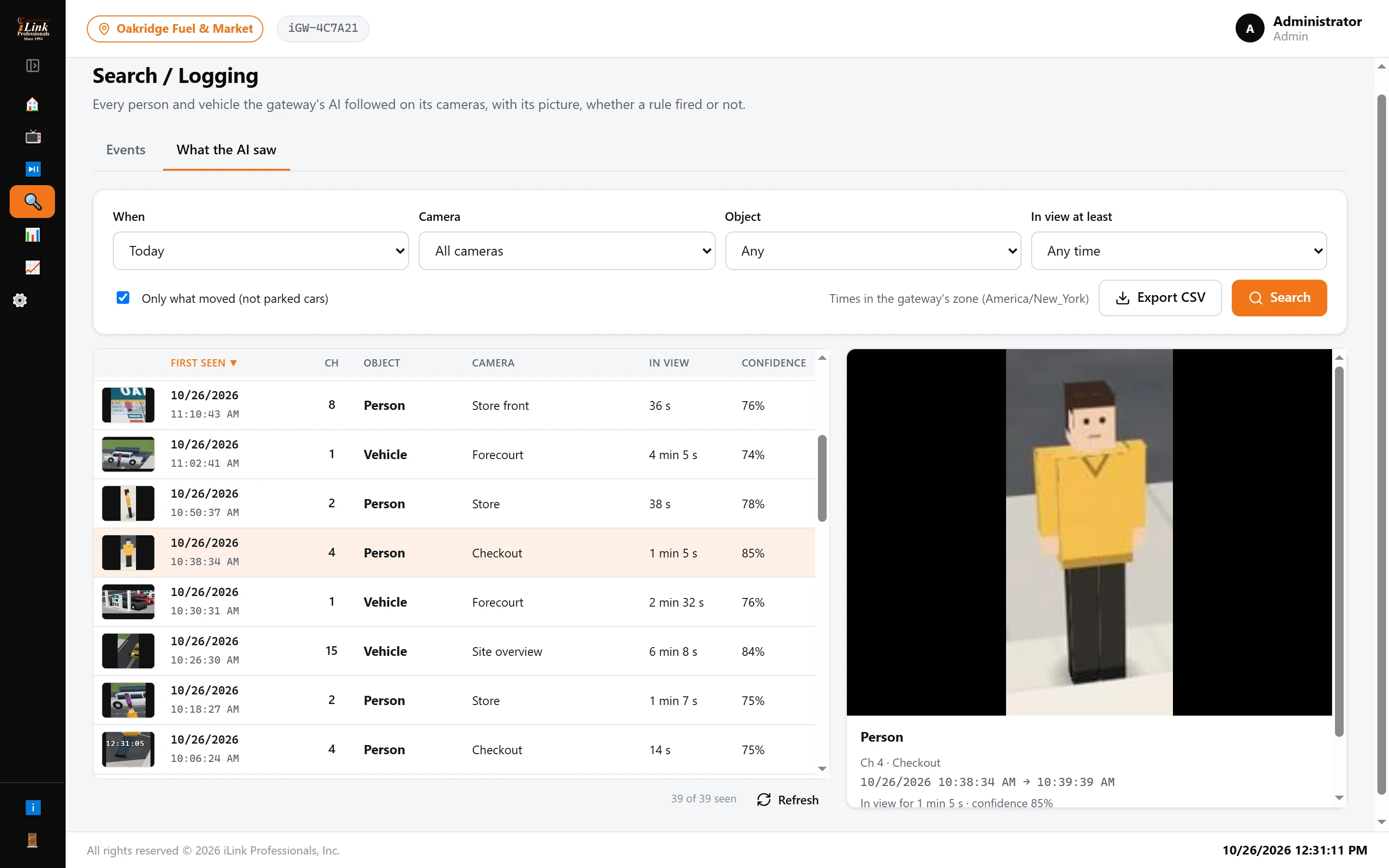
What the AI saw : every person and vehicle it followed, with a picture, whether or not a rule fired.
What the AI saw: every person and vehicle it followed, with a picture, whether or not a rule fired.

"Sent to: email (queued)" means the gateway has queued it; the Email and WhatsApp tabs show what was delivered. Export CSV downloads the list.

Stuck on a step?

iLink Professionals supports owners and installers. Call, or send us a message.