 Smart AI
1What AI Analytics does
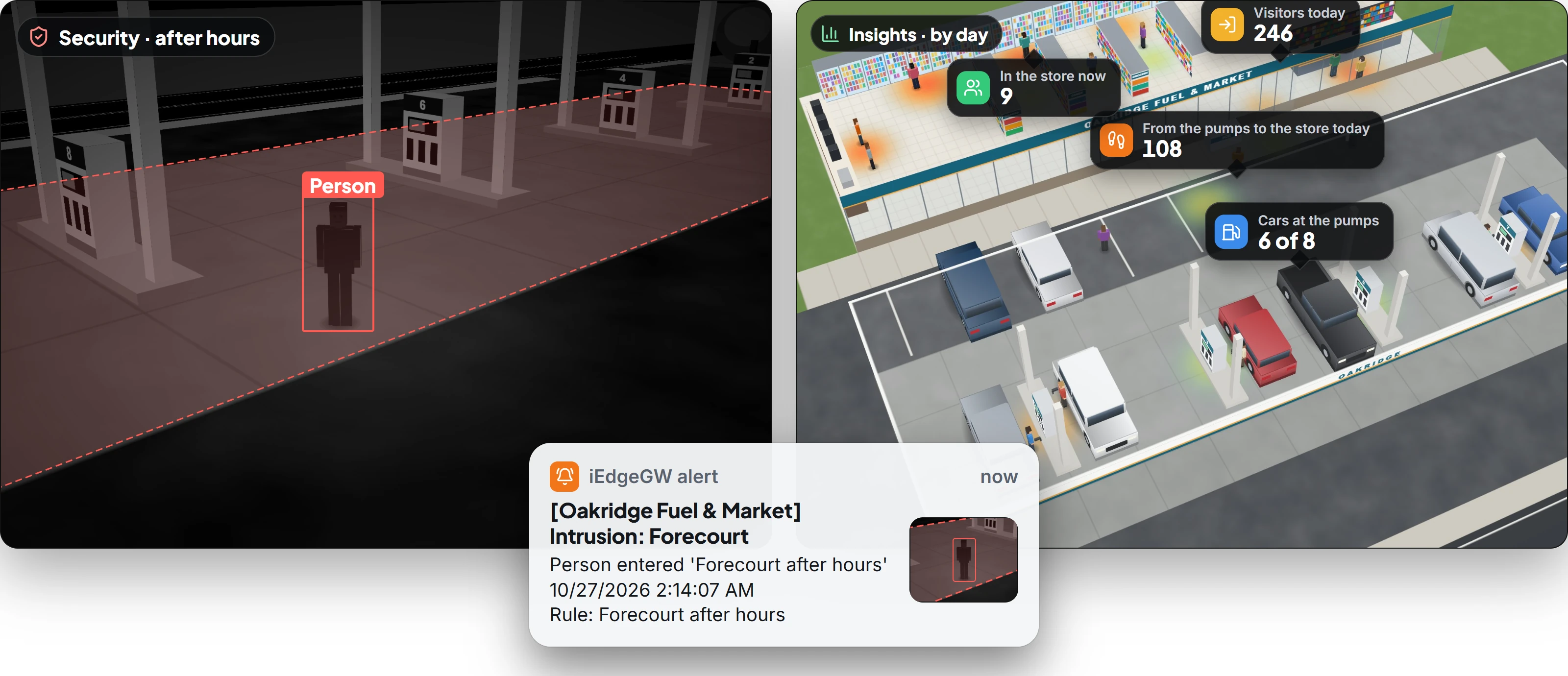
The iEdgeGW gateway runs AI on the cameras you already have, on site. It finds the people and vehicles in each camera's picture and follows them. Two things are built on that, and you can use either one, or both.
| Security (Part 1) | Insights (Part 2) | |
|---|---|---|
| What it does | Tells you the moment something is wrong: someone crosses a line or is in an area at the wrong time, stays too long, a crowd forms, a vehicle parks where it should not, something is left or taken, fire or smoke. | Shows how your business runs: people in the store now, visitors today, cars at the pumps, walk-ins from the pumps, the busy departments and hours, heat maps. |
| Where you see it | An alert on your phone (WhatsApp) or by e-mail, with the picture and a short clip; every event kept in Search / Logging. | Live dashboards in Insights: on a PC, a phone, or a TV on the gateway's HDMI port. |
| Who sets it up | An admin, in Settings › Analytics and Settings › Notifications & Alerts. | A manager or an admin, in Insights. |
Nothing to install on site but the gatewayThe AI runs on the gateway, next to your cameras: no monitoring center, no cloud service and no PC is needed for the alerts or the dashboards. The video stays on the gateway. Insights keeps counts and times, never who people are.