 Drive-Thru
6Goals, the screen and alerts
All in Insights › (the board) › Edit › Board settings. Change them at any time; past days are worked out again with the new goals.
Goals and dayparts
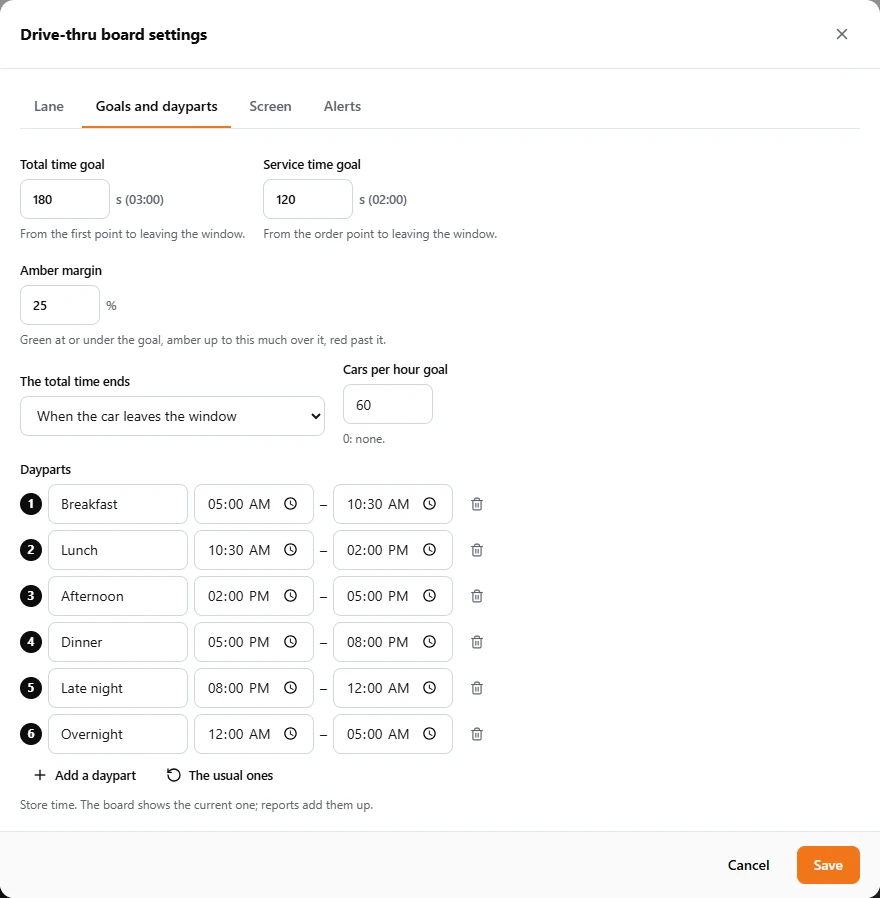
- Total time goal: from the first point to leaving the window, the customer's whole wait. A common goal is 3:00.
- Service time goal: from the order point to leaving the window, the part the crew controls.
- Amber margin: how far over a goal a time is amber before it turns red (25% by default).
- The total time ends: when the car leaves the window (usual), or when it leaves a wait bay. The second makes pulled-forward cars count with their real wait.
- Cars per hour goal: the target number served in an hour (0 for none). The board shows the pace toward it.
- Dayparts: named times of the day (Breakfast 5:00–10:30...). The board shows the current one; the reports add up each. The usual ones puts the standard six back.
The screen
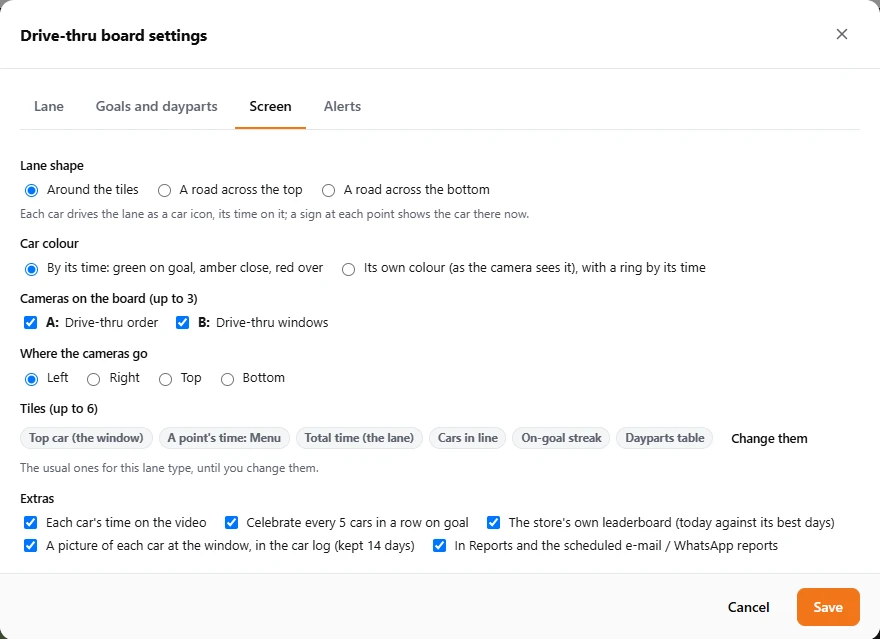
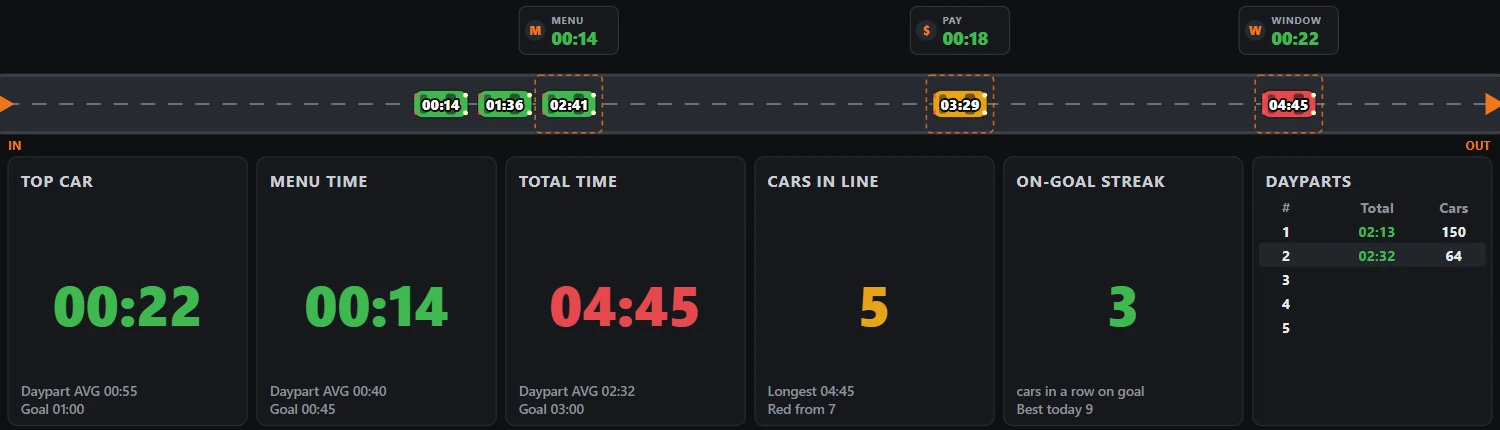
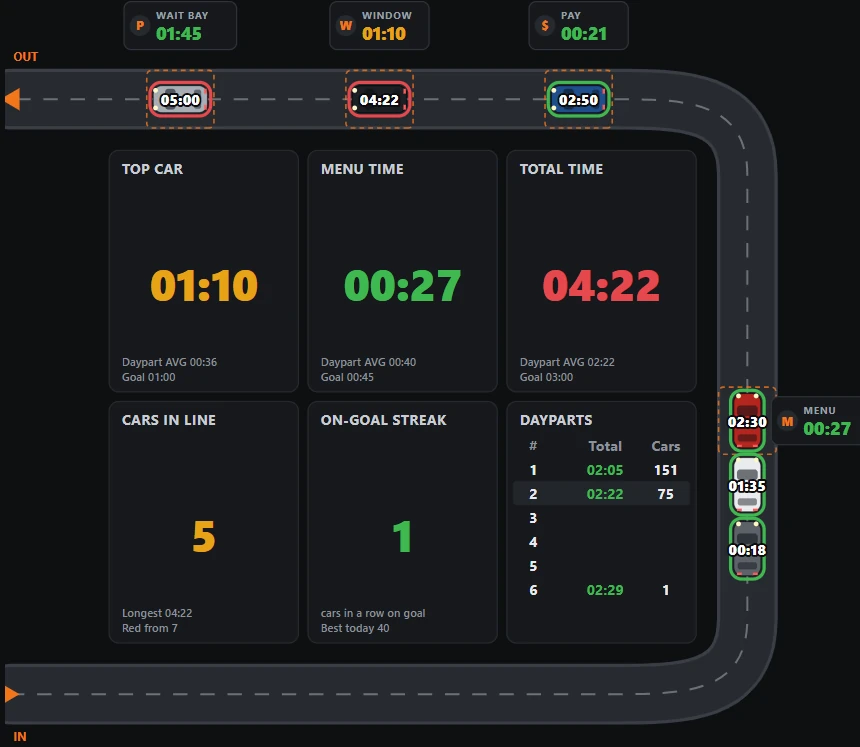
- Lane shape: the lane round the tiles, or a straight road across the top or the bottom (below). Pick what suits the screen.
- Car colour: by the car's time (green, amber, red), or the car's own colour as the camera sees it, with a ring by its time. Staff then match the icon to the real car.
- Cameras on the board: up to three, shown as A, B and C, at the left, right, top or bottom.
- Tiles: up to six. Until you change them, the board shows the usual ones for its lane type; Change them picks your own from: top car (the window), a point's time, total time, service time, cars in line, longest in line, drive-offs, cars per hour, cars this daypart, the car count against the last 2 weeks, the dayparts table, wait bays, the bottleneck this hour, the on-goal streak and the leaderboard.
- Extras: each car's time on the video; a small celebration every 5 cars in a row on goal; the store's own leaderboard (today against its best days); a picture of each car at the window in the car log (kept 14 days); the board in Reports and the scheduled reports.
Alerts
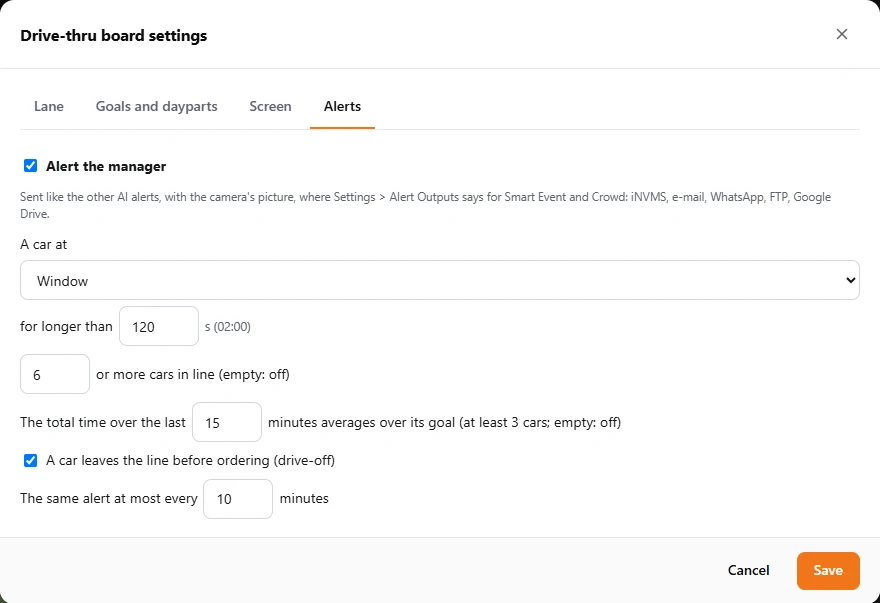
Turn on Alert the manager and choose what should alert:
- a car at a point for longer than a time (for example, at the window for over 2 minutes);
- this many cars or more in line;
- the total time over the last minutes averaging over its goal (at least 3 cars);
- a car leaving the line before ordering (a drive-off).
The same alert goes out at most every so many minutes, with the camera's picture. It goes where Settings › Notifications & Alerts › Alert Outputs says on the board's own row, Drive-thru board: e-mail, WhatsApp, and a copy to an FTP server or Google Drive, at the times you choose there (for example only while the store is open). Set those up first: section 10.