
Mobile Ordering App + Web Portal — Run Your Restaurant from Anywhere
iRestaurantPro – Restaurant POS System
Whether you run a quick service restaurant, a fine dining establishment, a food truck or a multi-location franchise, iRestaurantPro POS is built for you. It’s fast, intuitive, and packed with essential features like table management, course-based ordering, split billing, kitchen display system (KDS), and real-time analytics — all crafted to simplify your operations and enhance the guest experience.
Your team takes orders right at the table with the iRestaurantPro mobile app — faster service, fewer mistakes, and no running back to the counter. And with the built-in web portal, you’re never tied to the restaurant: sit anywhere, log in from your phone or laptop, and control your full desktop POS in real time — sales, menu items, staff and reports.
Salient Features
Salient Features of iRestaurantPro
Elegant, Easy-to-use Point-Of-Sale (POS)
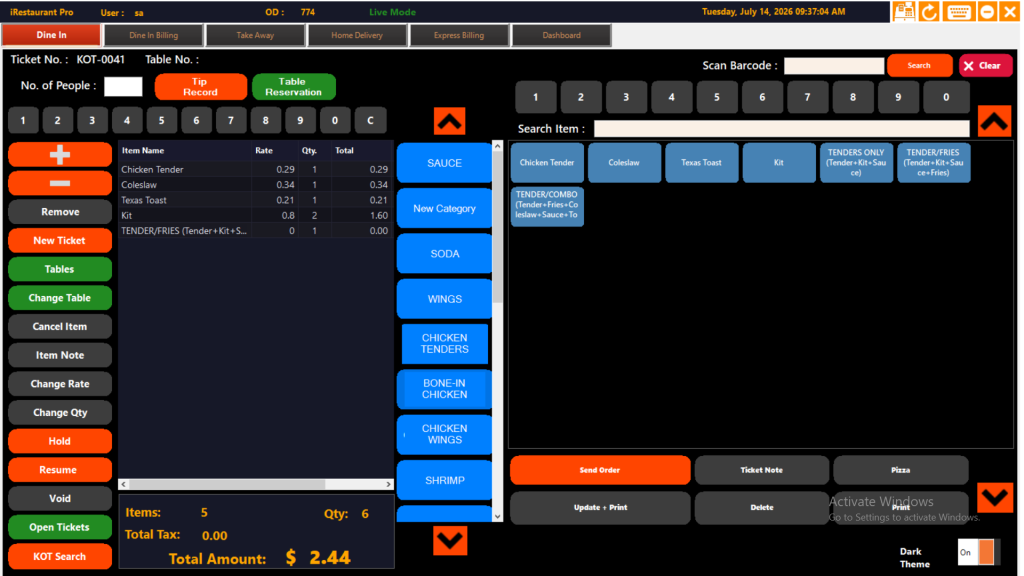
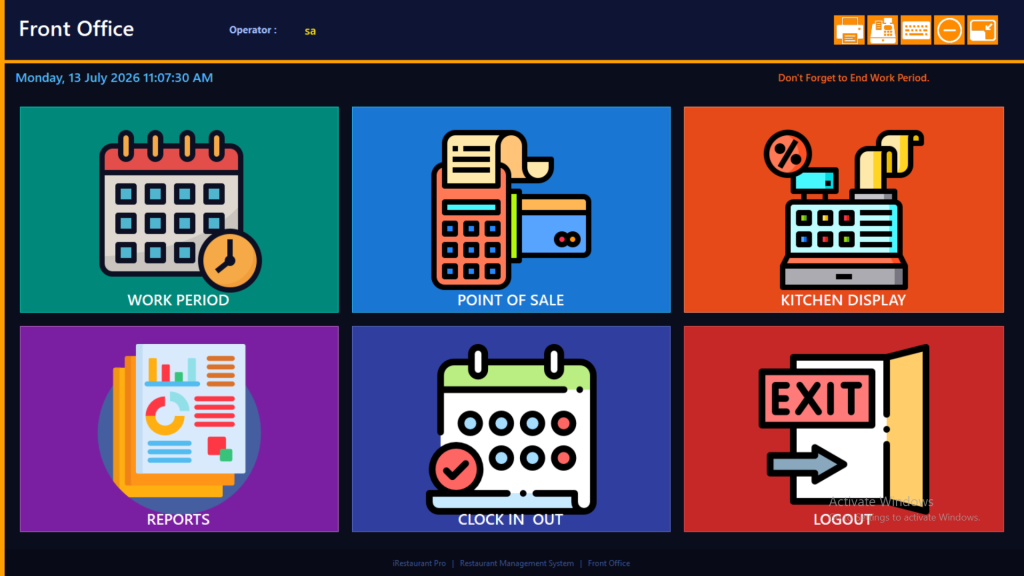
iRestaurantPro provides a fully-touchscreen, easy-to-use and user-friendly application with an elegant layout. The smart front of house (FOH) layout allows you to stay efficient without leaving the station.
Customer Facing Display
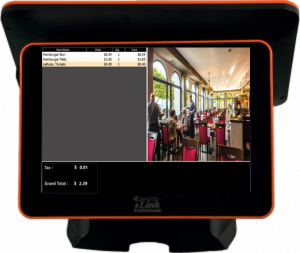
The smart layout of our POS provides you with an option to have rotating images on half of the screen. You can even use this extra space for advertisement of your new and best-selling products.
Orders
The iRestaurantPro POS system allows you to take multiple orders efficiently in less time. Our efficient system can take QSR, Take Away, Dine In and Delivery orders and store them separately, so the staff will never confuse the orders again. You can even enjoy an order on your reserved table — our POS supports table reservations too.
Back Office (BOH)
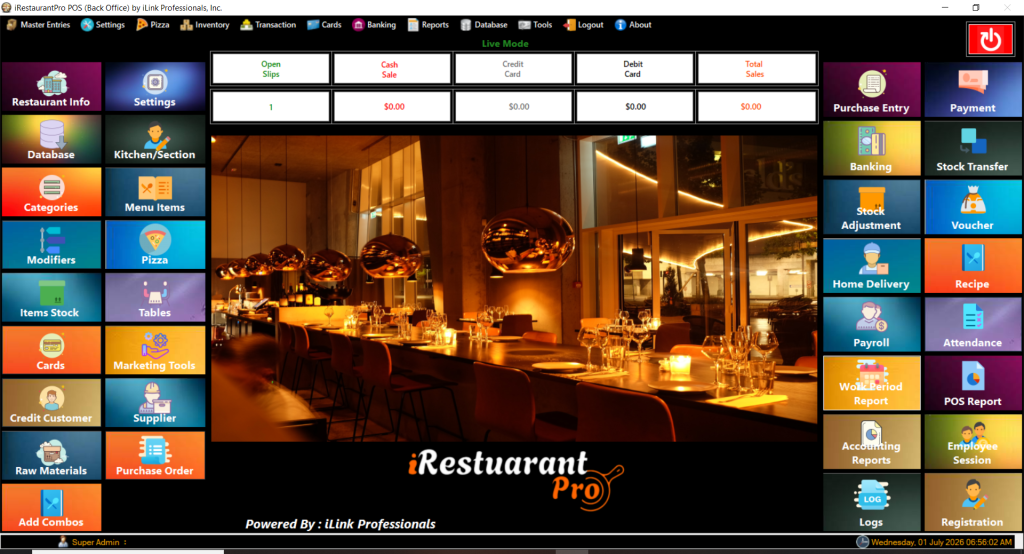
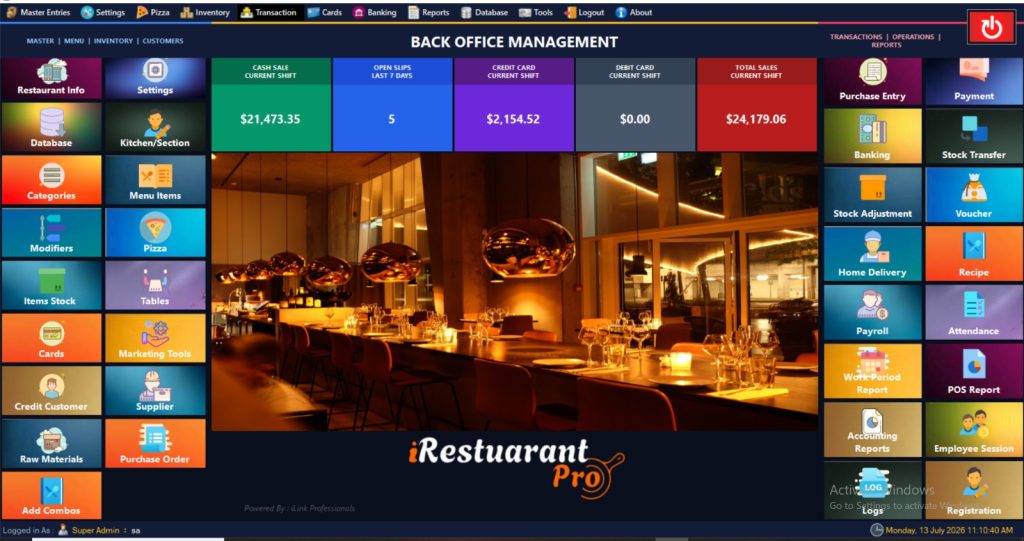
iRestaurantPro comes with a powerful back office with many functions & modules standard at no additional cost that usually would not be included with other POS applications: marketing tools to send emails or SMS, easy database backup and restore, recipes, banking, attendance, payroll tracking and much more.
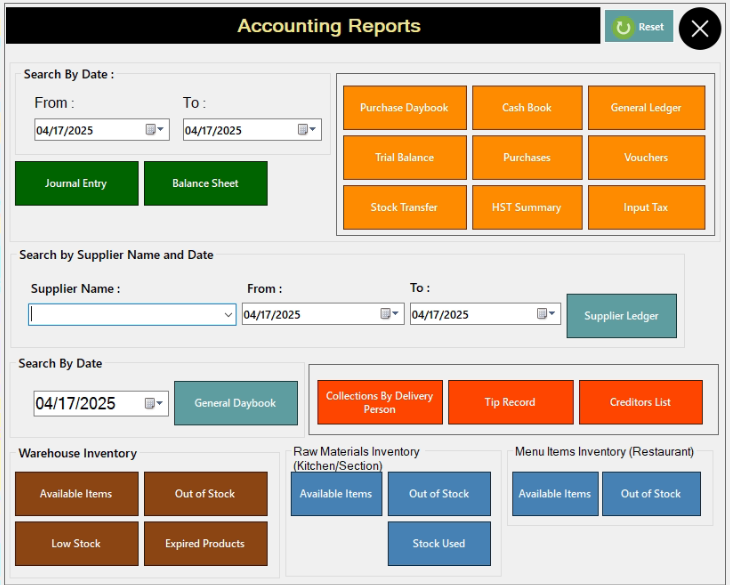
Accounting Reports
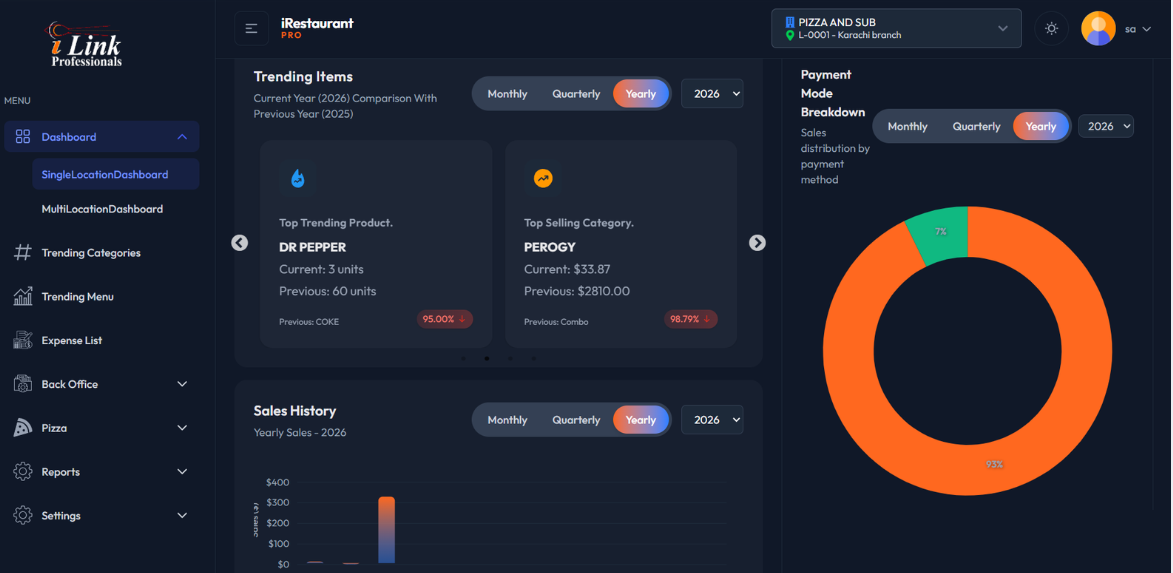
iRestaurantPro POS system gives you detailed insights and accurate reports of your best-selling products, saving the time you would have spent going through pages of customer data. You can easily generate graphs, visuals and tables of your restaurant’s day-to-day business and operations. The smart POS system also helps you look out for emerging trends to gain a better understanding of how your restaurant business is booming!
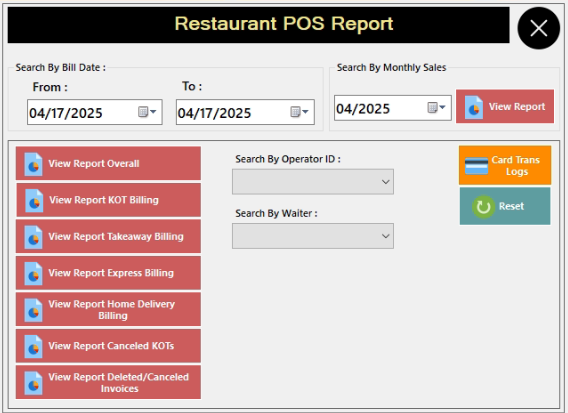
POS Reports
iRestaurantPro POS system gives you personalized, detailed reports on all your products and services. No hassle, no paperwork, quick and easy access to all of your data. This system will help you visually analyze your profits coming into the restaurant.
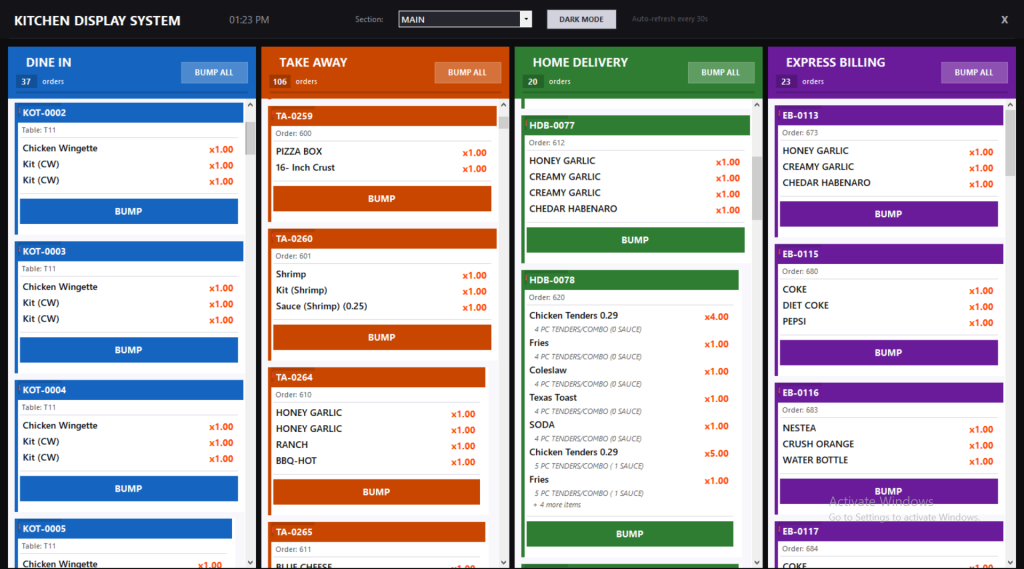
Kitchen Management & Multiple KDS
iRestaurantPro POS eliminates the hassle of finding a pen and paper to manage the kitchen and kitchen staff. The innovative POS system gives a new meaning to the way you operate your restaurant kitchen. It can help you to quickly navigate between different orders and check out how accurate and fast the kitchen service is. Supports multiple Kitchen Displays (KDS) and printers to display and/or print items for that station like Bar, Appetizers, Main Course Entrees, Dessert, etc.
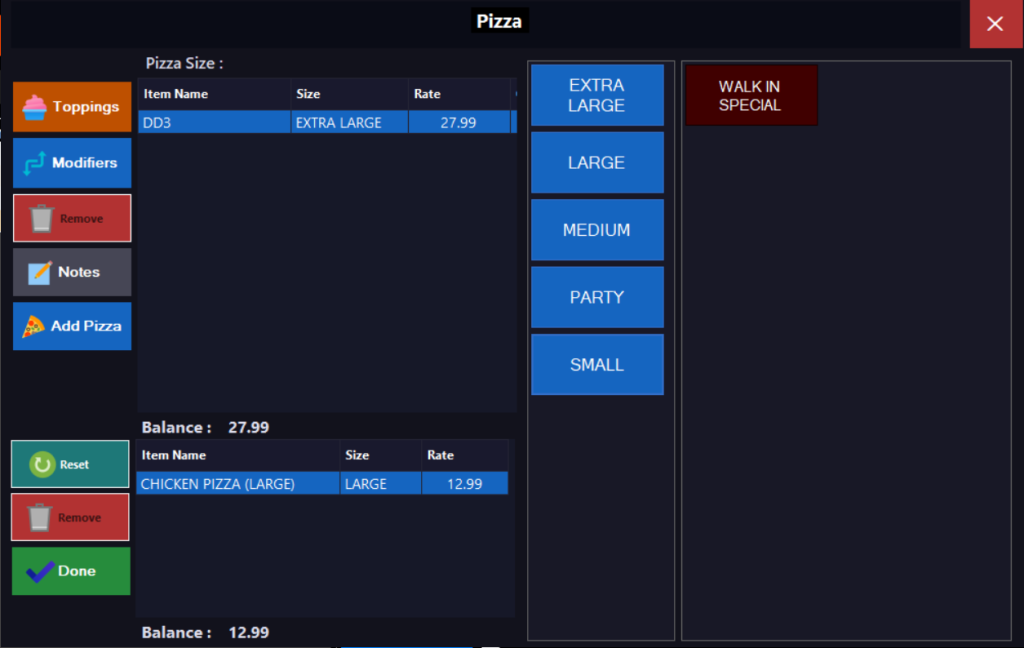
Pizza Builder — Custom Pizzas Made Simple
Selling pizza? iRestaurantPro comes with a dedicated pizza builder screen — pick your size from Small to Party, then tap toppings, modifiers and half-and-half options right on the screen. Add kitchen notes in one touch, and the price updates instantly for every size and topping. No miscalculated bills, no confused kitchen tickets — every pizza reaches the oven exactly as the customer ordered it.
User Rights Management — You Decide Who Can Do What
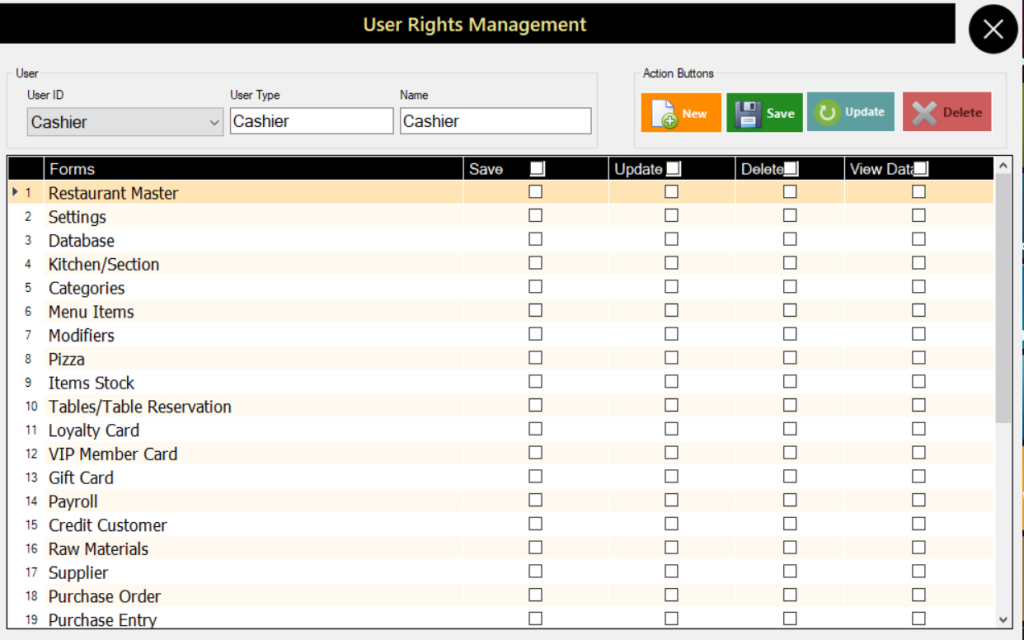
Every restaurant has different staff roles — and iRestaurantPro lets you match access to each one. With User Rights Management you decide screen-by-screen what every user can do: allow Save, Update, Delete or View permissions separately for settings, menu items, payroll, suppliers and more. Give cashiers just what they need for daily sales, and keep sensitive areas like payroll and settings for managers only. Each staff member gets their own login, and you can adjust rights anytime as your team grows.
Mobile App
Restaurant Order Taking App
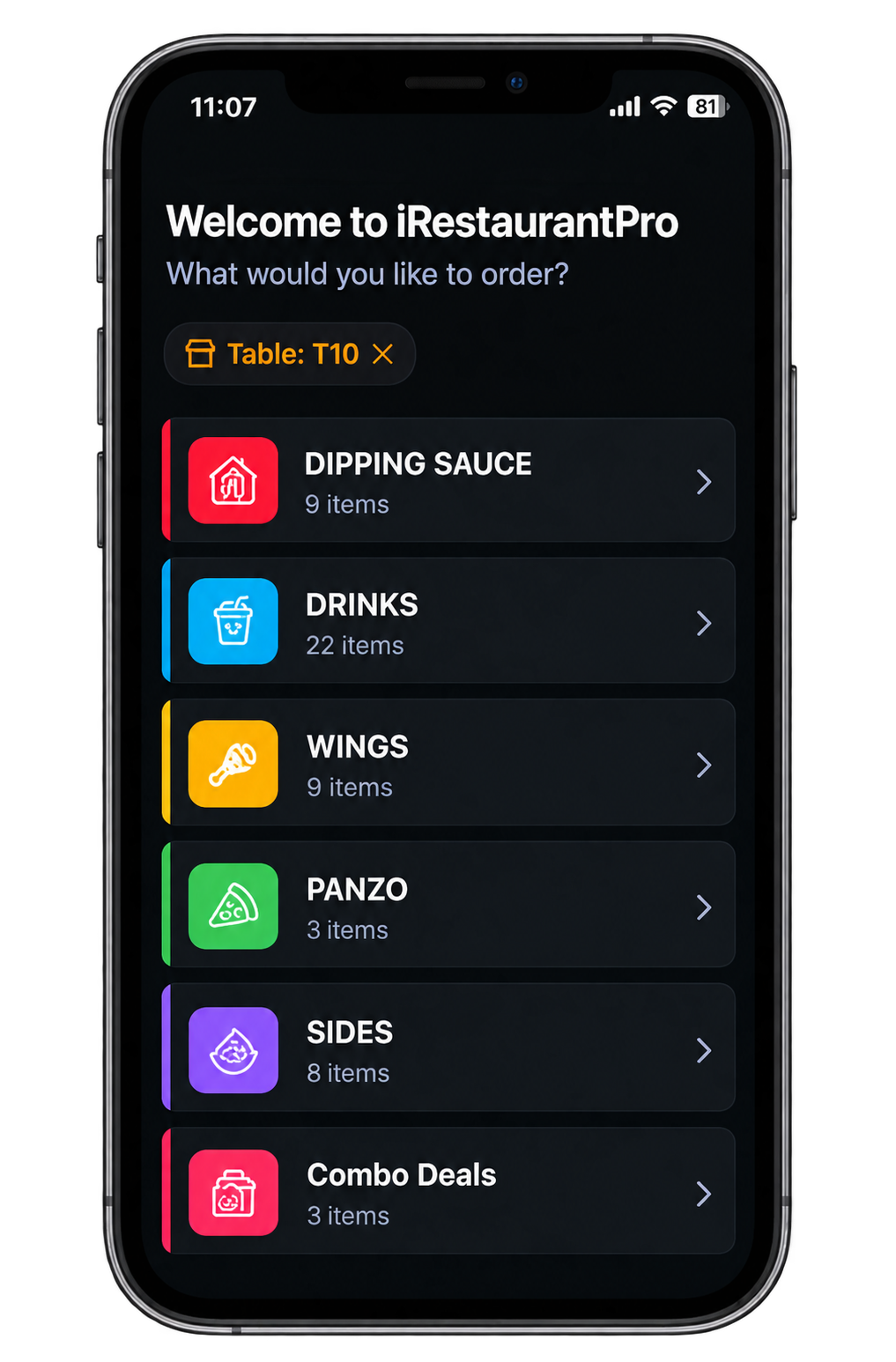
No more running back to the counter or scribbling on paper slips. The iRestaurantPro order taking app turns any Android phone or tablet into a waiter station — take orders at the table, send them to the kitchen instantly and keep your POS updated in real time.
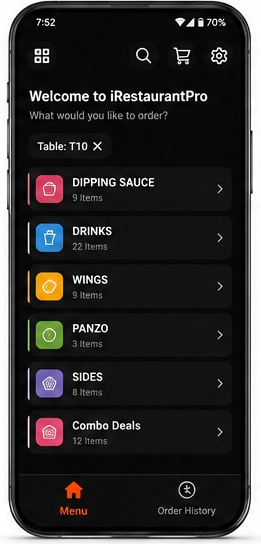
Browse the Menu & Build the Order
Staff open the app and see the full menu — categories like Drinks, Wings, Sides and Combo Deals with item counts and live prices. Tap to add items, adjust the quantity and start an order in seconds. Everything stays in sync with your desktop POS, so a price or item changed in the back office appears on the app instantly.
- Full menu with categories and live prices
- Combos, modifiers and kitchen notes on every item
- Instant sync with back-office menu changes
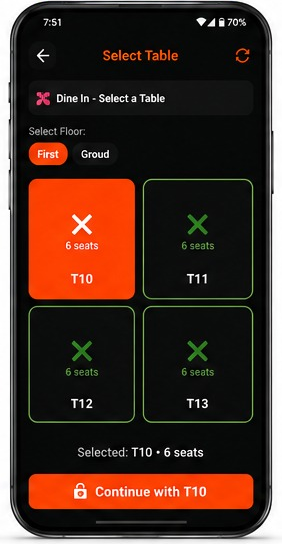
Pick a Table in Seconds
Dine-in orders stay tied to the right table from the very start. The floor view shows every table with its seat count and live status — free tables in green, busy ones in orange — so orders never land on the wrong table. Reservations, table swaps and merges can be handled right from the phone, even during the dinner rush.
- Color-coded floor view — free, busy or reserved
- Seat counts and table status at a glance
- Move, merge or swap tables in a couple of taps
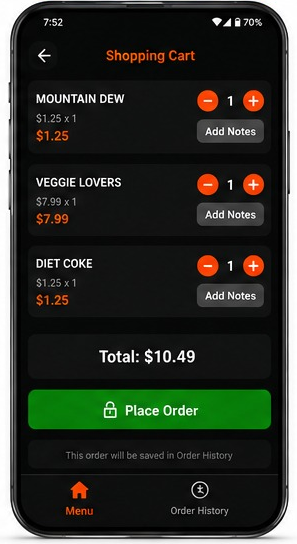
Cart, Notes & One-Tap Ordering
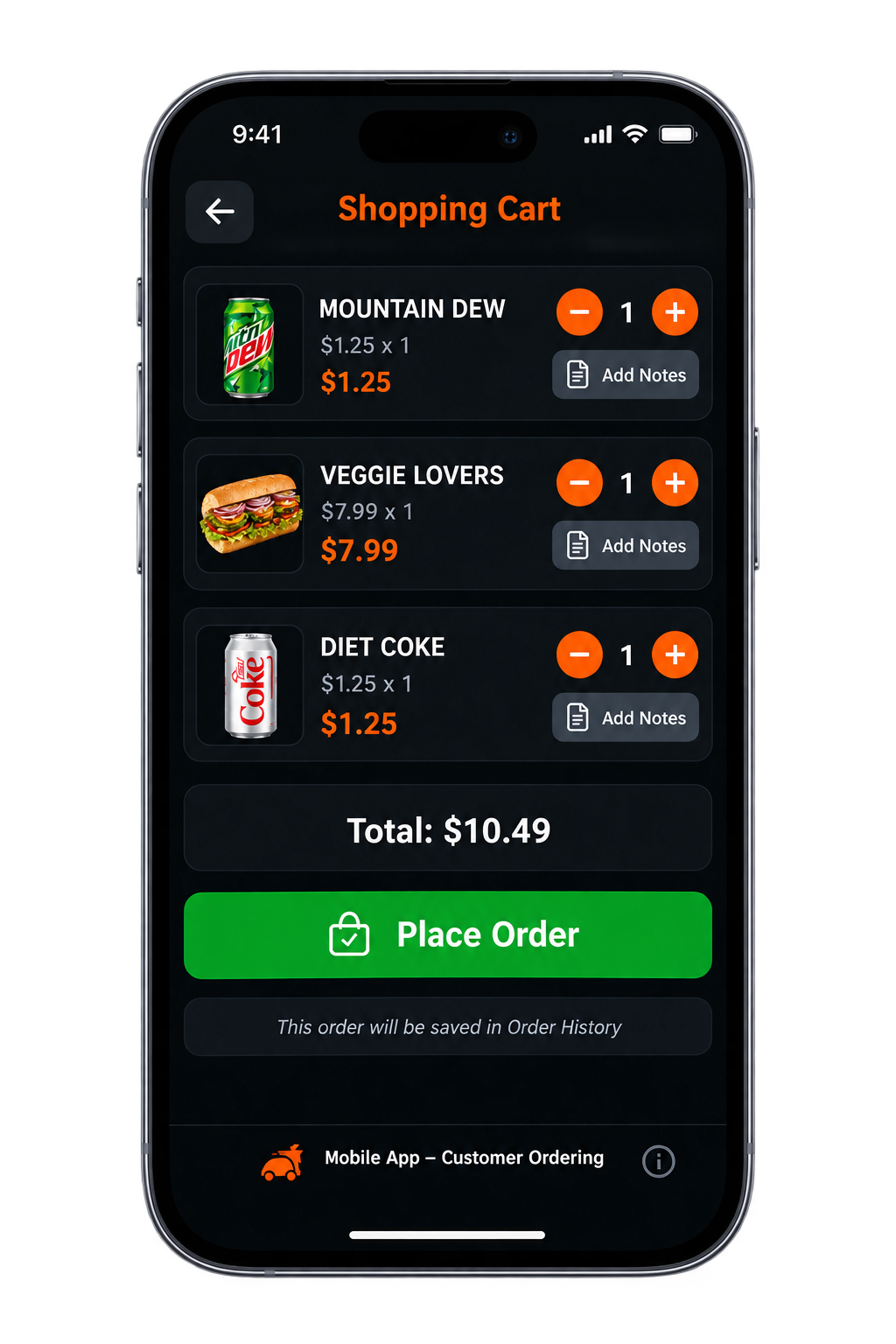
Review the cart with item-wise totals, add kitchen notes like extra spicy and hit Place Order — the ticket reaches the kitchen display instantly, and every order is saved in Order History for quick reprints. Waiters cover more tables in less time, with zero order mistakes and no running back and forth to the counter.
- Item-wise totals with instant price updates
- Kitchen notes so nothing gets lost in translation
- Every order saved in Order History for reprints
Web Portal
One Portal. Every Branch. Anywhere.
Open a browser, log in, and your entire business is on the screen — live sales, transactions, expenses and VAT, updated in real time from your iRestaurantPro POS. No installations, no extra software: if you have internet, you have your restaurant in front of you.
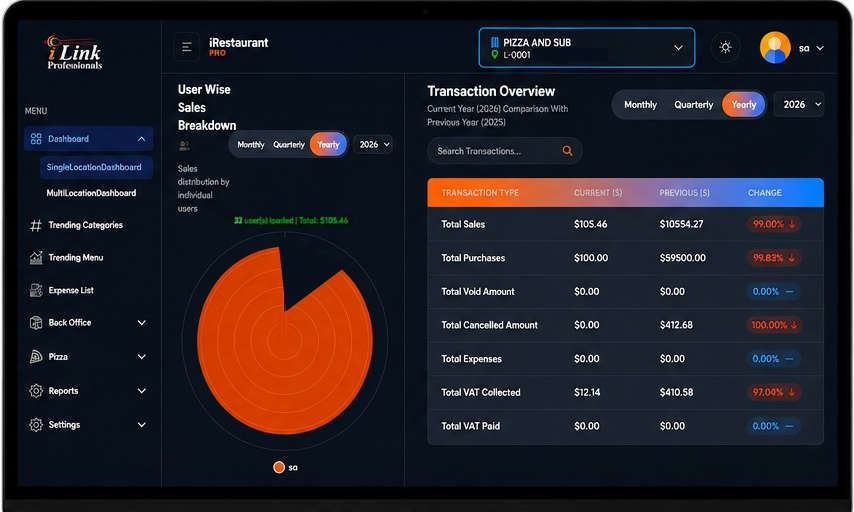
This is your head office view: the user-wise sales breakdown shows exactly which operator rang up what, while the Transaction Overview table compares this year against last year — total sales, purchases, voids, cancelled orders, expenses and VAT collected — with the change highlighted on every line. Any number that looks off can be investigated in seconds, from anywhere in the world.
And here is the part most POS systems simply do not offer: the web portal comes with a built-in Multi-Location Dashboard. Whether you run two outlets or twenty, every branch appears side by side on one screen — sales, trending items, expenses and VAT for each location, plus a combined picture for the whole chain. Head office gets the full control room, branch managers see only their own store, and you stay in command from one login — at home, on holiday or on the road.
Multi-Location Dashboard
Every branch side by side — sales, expenses and VAT per location, plus a combined chain-wide view.
Live Transaction Overview
This year vs last year: sales, purchases, voids, cancellations and VAT — change highlighted line by line.
User-Wise Sales Breakdown
See which operator or waiter generated what — accountability built right into the reports.
Fully featured
GET the Fully featured POS Solution

Flexible Menu Management
Fully user-friendly POS system & easy-to-understand management using flexible menus.
Easy Database Backup & Restore
Never lose your data sheets, records etc. — use the built-in backup & restore option.

Multi User and Station/Terminal
Let your system be fully managed without your intervention using the multi-user station feature.

Date & Customer wise Reports
Get date & customer wise report views and print them as you want.

Banking Options
Get your finances managed by our convenient built-in banking options.

Marketing Tool: Email and/or SMS
Get your business marketing done while staying on the same platform!
Everything included
Other Features
Every iRestaurantPro licence includes the complete feature set below.
- Orders: QSR, Take Away
- Orders: Dine-In and Delivery
- Bill Hold and Recall
- Discount and Service Charge
- Cash & Card Payment
- Sales Return
- Billing Management
- Security Camera Integration
- Expense Management
- Easy Database Backup
- Marketing Tools
- Date & Customer wise Report
- Accounting Reports Analytics
- Daily Reporting
- Auditing
- Multi User Station/Terminal
- Advanced User Management
- Clock In/Out
- Attendance System
- Stock Management
- Employee Management
- Ledger Management
- Purchase Management
- Customer Management
- Kitchen Order Taking (KOT)
- Kitchen Management
- Special Order or Item Notes
- Modifiers
- Recipe Setup
- Strong Search Option
- Flexible Menu Management
- Table Management
- Dashboard
- Pole Display
Built for Every Type of Restaurant
From food trucks to fine dining, iRestaurantPro adapts to how your business runs.
- Pizza shops & pizzerias — combo builder for custom pizzas and toppings
- Food trucks & QSR — fast checkout with KDS for quick turnaround
- Cafes & coffee shops — quick-service menu items and modifiers
- Bars & pubs — split billing and table management
- Fine dining — full table service with detailed order customization
- Multi-location franchises — centralized reporting across locations
FAQs
Frequently Asked Questions
Does iRestaurantPro handle dine-in, take-away and delivery?
Yes, one system manages table service, take-away and delivery orders together, keeping every order type separate so staff never mix them up.
Does it include a Kitchen Display System (KDS)?
Yes, iRestaurantPro supports multiple Kitchen Display Systems and printers, routing orders straight to the kitchen for faster, more accurate service.
Can a bill be split between customers?
Yes, split billing lets you divide one table’s bill across multiple customers.
Does iRestaurantPro include payroll and staff management?
Yes, built-in payroll tracking, attendance and clock in/out tools are included in every licence.
Is iRestaurantPro suitable for both small restaurants and multi-location chains?
Yes, it scales from a single quick service restaurant or food truck up to multi-location franchise operations.
Running a retail store instead? Check out our iDiGiPro Retail & Wholesale POS, or explore iDiGiPro CS for convenience & liquor stores.
Ready to serve faster?
Request a free live demo of iRestaurantPro, or call 678-206-5465 for pricing and hardware bundles.